10+major releases — each adding modules without a unified design language
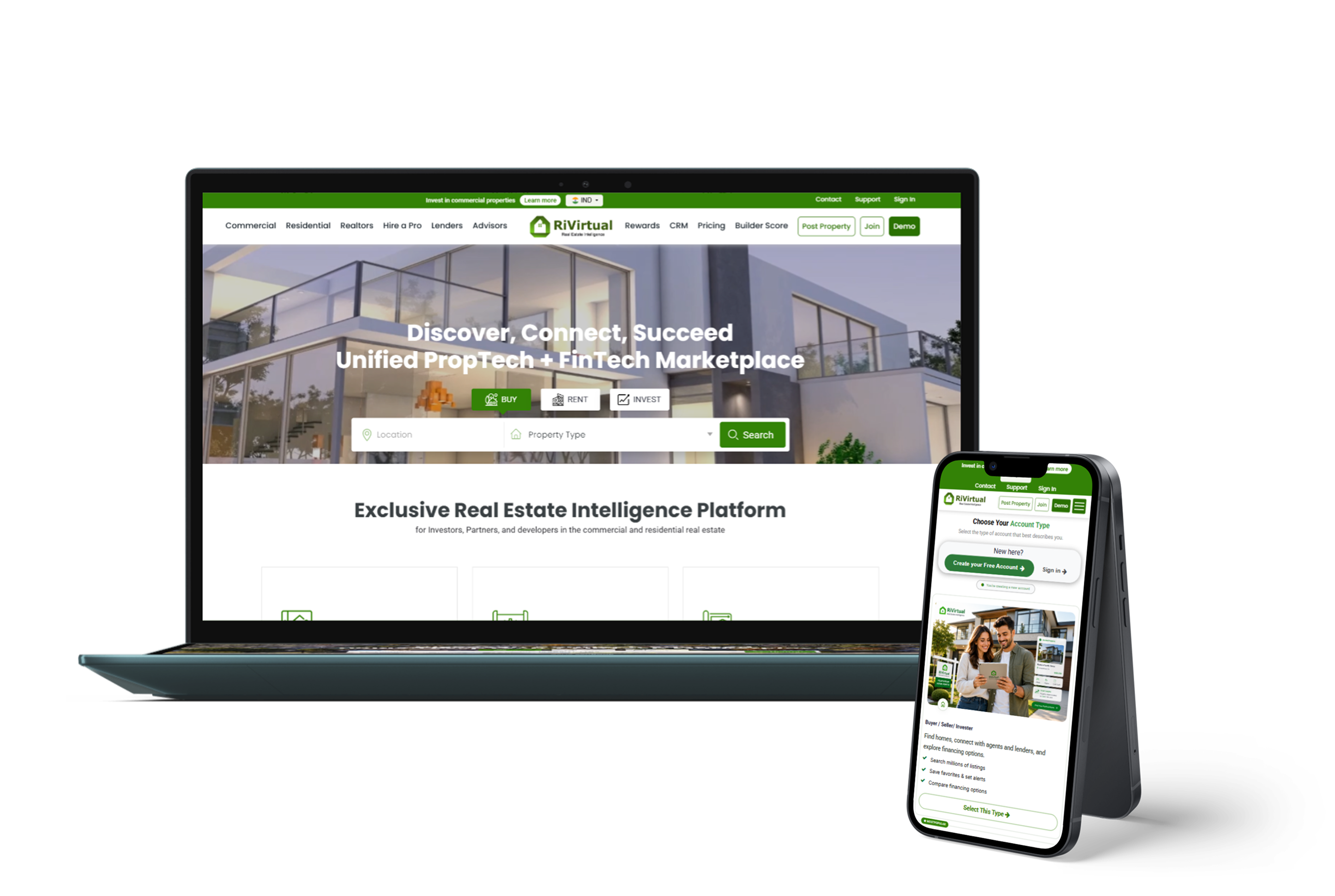
RiVirtual served real estate professionals across the USA and Canada, but CRM, property posting, and sign-in had grown organically — inconsistent, hard to scale, and split across eight user roles.
Problems identified
Fragmented workflowsLeads, listings, subscriptions, and onboarding lived in disconnected modules
Legacy screen debtOutdated UI created friction for realtors, customers, and internal teams
Multi-market complexityUSA & Canada localization layered onto UI not built for scale
No unified design systemTen platform versions shipped without cohesive components or patterns
Design–QA disconnectNo single practice accountable for experience quality across releases
Business goals
01Unify CRM, property posting, and authentication under one design language
02Redesign legacy flows to improve engagement and task completion
03Scale role-based experiences across eight distinct user types
04Establish design + QA as one accountable practice from v0.1 through v10.0
My role: Lead Product Designer & QA Lead — owning end-to-end design, test strategy, and release sign-off from v0.1 through v10.0.
02 · Research & Insights
Understanding the PropTech ecosystem gap
Research before redesign — mapping eight user roles, auditing legacy flows, and analyzing how multi-market real estate platforms scale.
01
Mapped journeys across eight user roles — from customers and realtors to lenders and advisors
02
Audited legacy CRM, property posting, and sign-in flows for friction and inconsistency
03
Analyzed USA & Canada localization needs including AI-assisted property titles
04
Defined a unified design system architecture to support ten platform versions
Key insight
Real estate platforms fail at scale when every module looks and behaves differently — users need one ecosystem that adapts to their role without relearning the product.
03 · Approach
Designer + QA Lead — one accountable practice
What made this engagement unique: I owned both the design vision and quality assurance. Every wireframe shipped with a test plan; every hi-fi screen was validated before production.
I mapped journeys across 8 user roles first, then redesigned module by module — CRM, property posting, authentication, subscriptions — while leading a team of 10+ testers and driving USA/Canada localization including AI-assisted property titles.
04 · Design Strategy
Design goals & success metrics
Every design decision tied to measurable outcomes — consistency across modules, faster workflows, and quality assured before every release.
Design goal
Success metric
Unified design language across all modules
Visual consistency across CRM, posting & onboarding
Role-based personalization at scale
Task completion rate per user role
Guided property posting workflow
Listing completion and publish rate
Design + QA as one practice
Defect escape rate and release sign-off quality
05 · Product Features
Key design challenges & solutions
Five design challenges — each with a targeted solution and measurable impact across the RiVirtual ecosystem.
Challenge
Solution
Impact
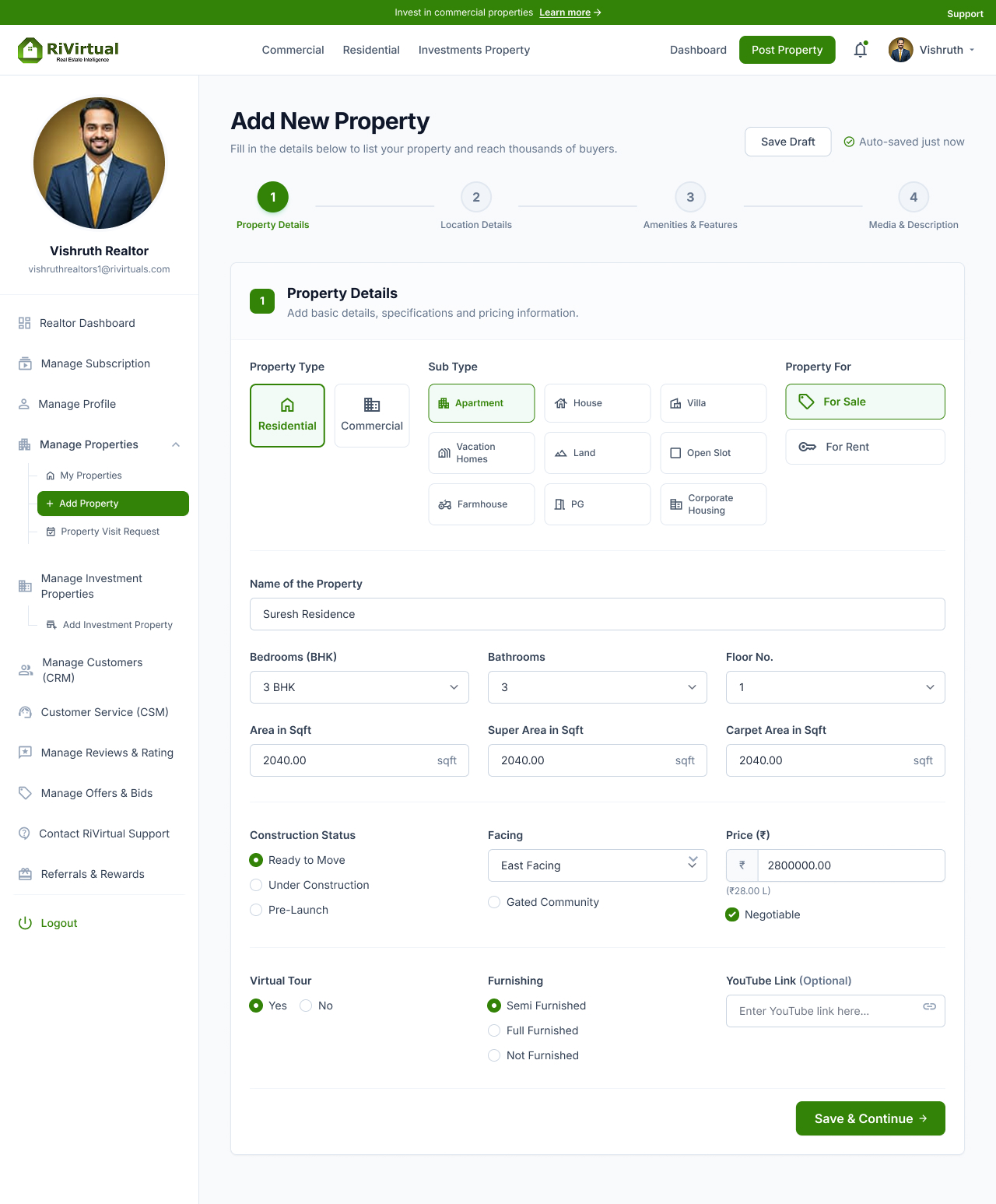
Complex property posting
4-step guided wizard with AI assistance
Higher completion rate
Multi-role experience
Role-based dashboards + smart navigation
Personalized experience
Fragmented communication
Unified chat + notification system
Faster collaboration
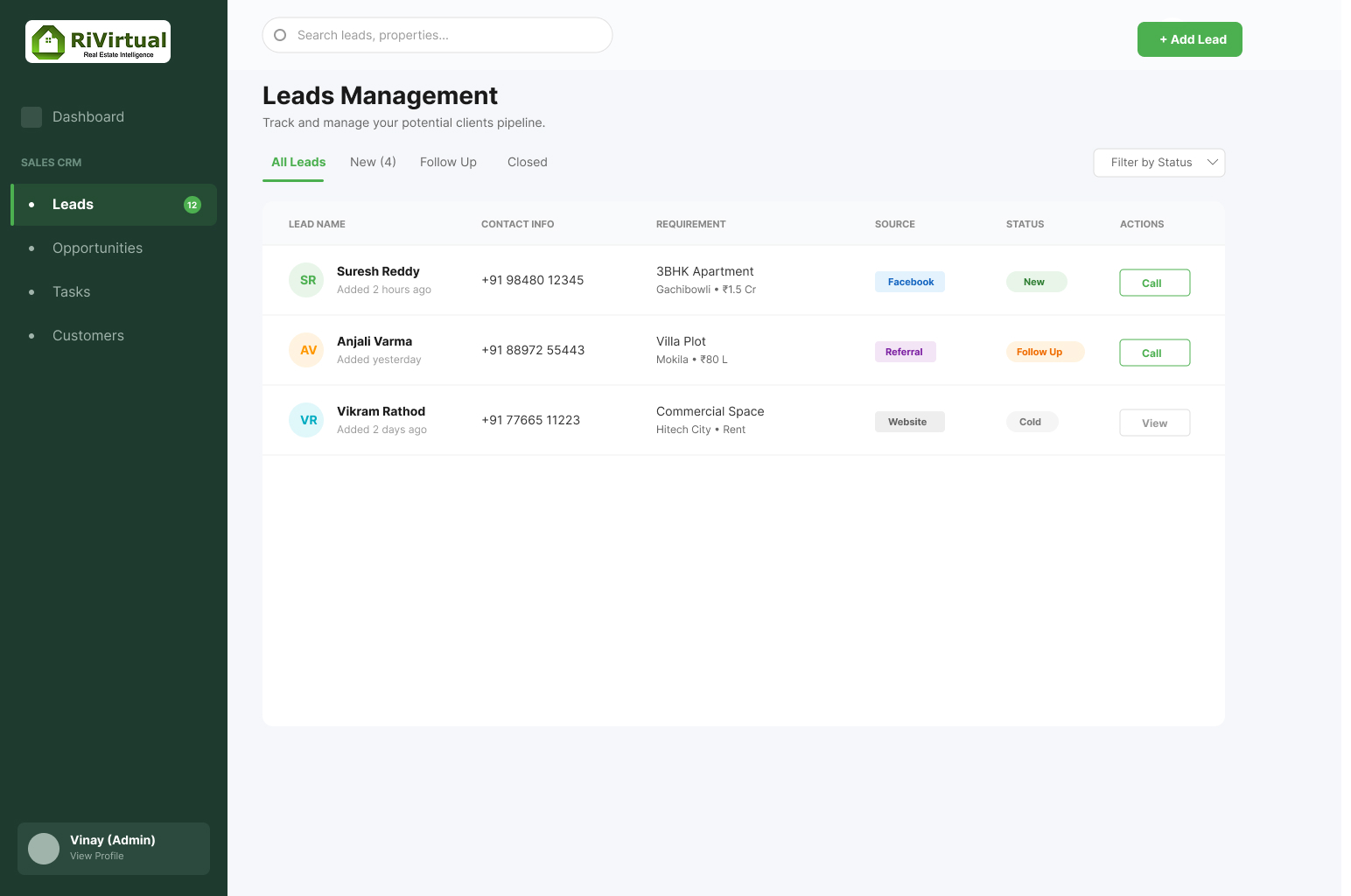
Manual lead management
Intelligent lead pipeline + scoring
Improved conversion
Trust & transparency
Digital Business Cards + Reputation tools
Higher user confidence
In practice
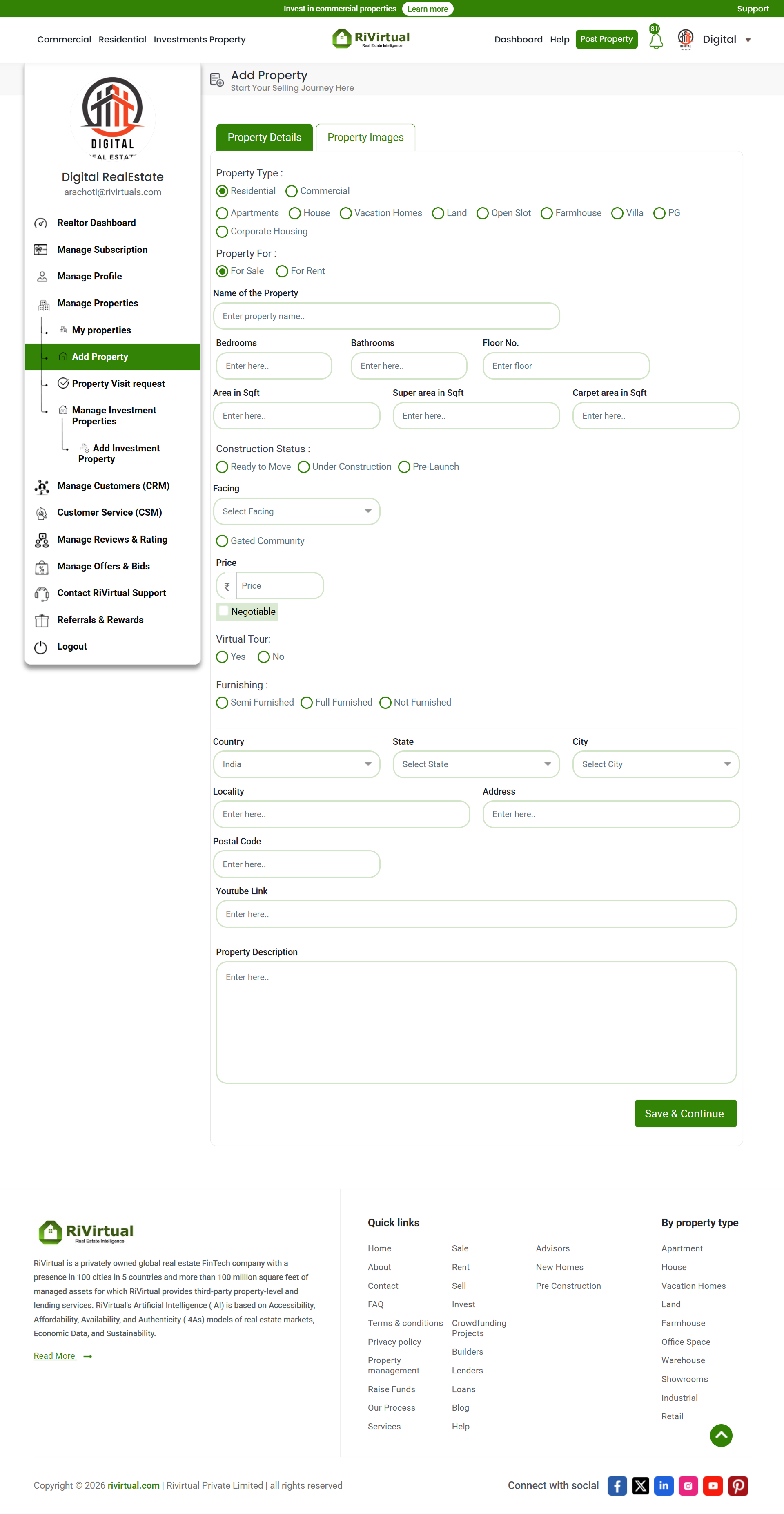
Before / After · Property Posting
BeforeAfter
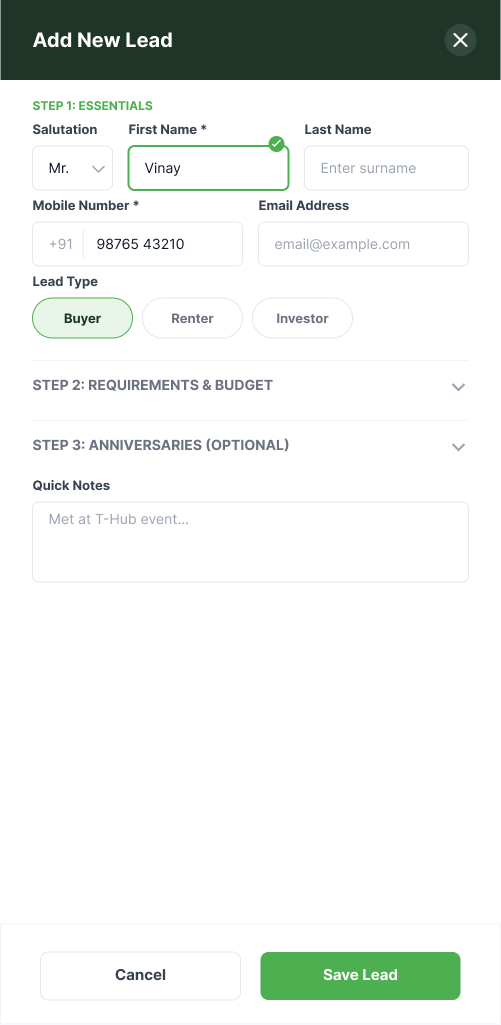
CRM · Lead Pipeline Redesign
Leads dashboard · pipeline & scoring
Click any screen to enlarge
06 · Design Process
Design process
A six-stage practice from discovery through handover — design and QA operating as one continuous loop across every release.
Process followed
1
Discovery & Research
2
Information Architecture & User Flows
3
Wireframing & Prototyping
4
Visual Design & Design System
5
Usability Testing & Iteration
6
Handover to Development + QA Leadership
Design process timeline
Tools usedFigmaAdobe XDMiro
Suggested visual
Wireframes → High-fidelity
Wireframe→High-fidelity
Click visual to enlarge · Full design system in section 11
07 · Low Fidelity Models
Wireframes before high-fidelity delivery
Validated low-fidelity models across property posting and authentication — structure and flow before visual polish.
Low-fidelity wireframes → validated with users → high-fidelity designs → production revamp
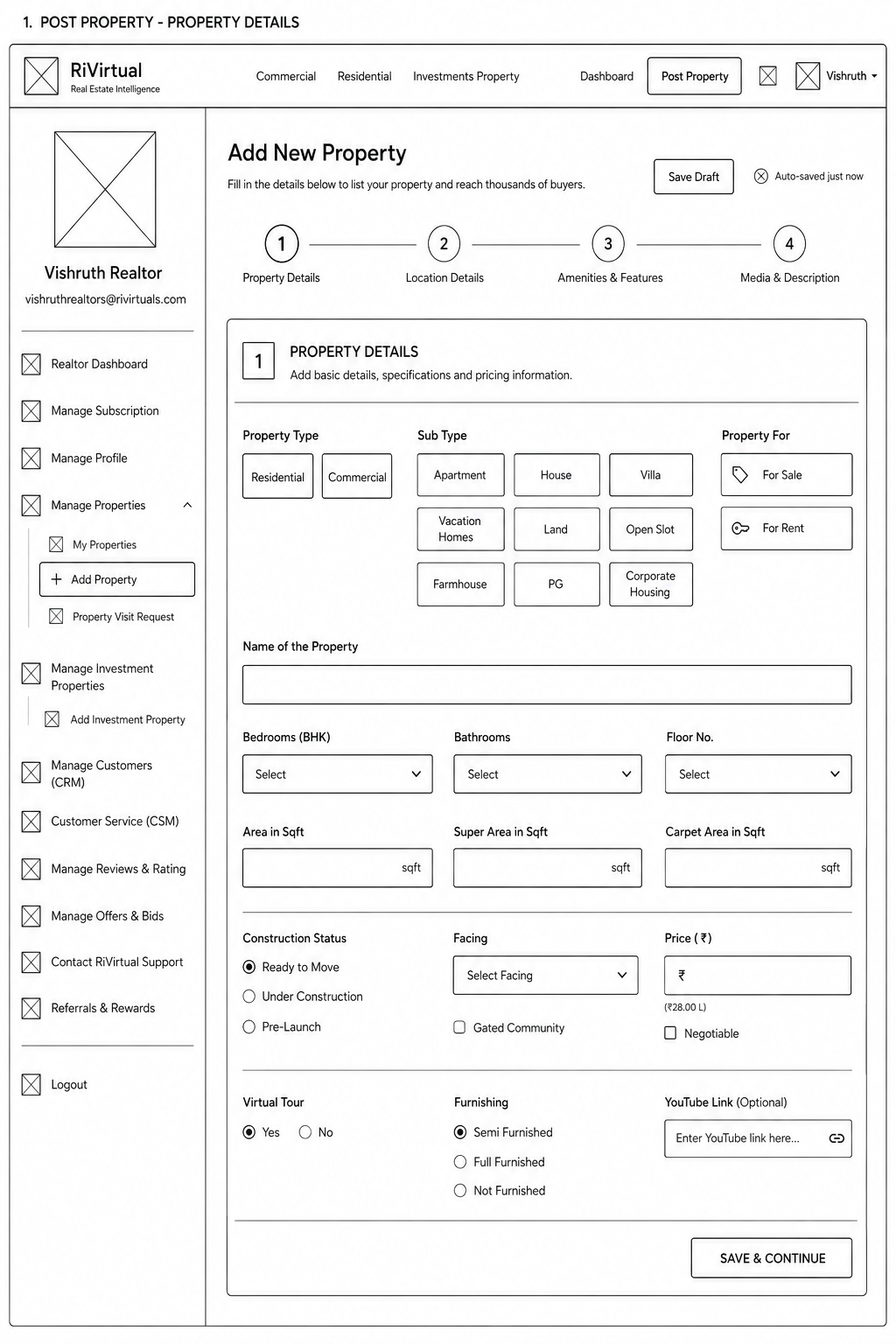
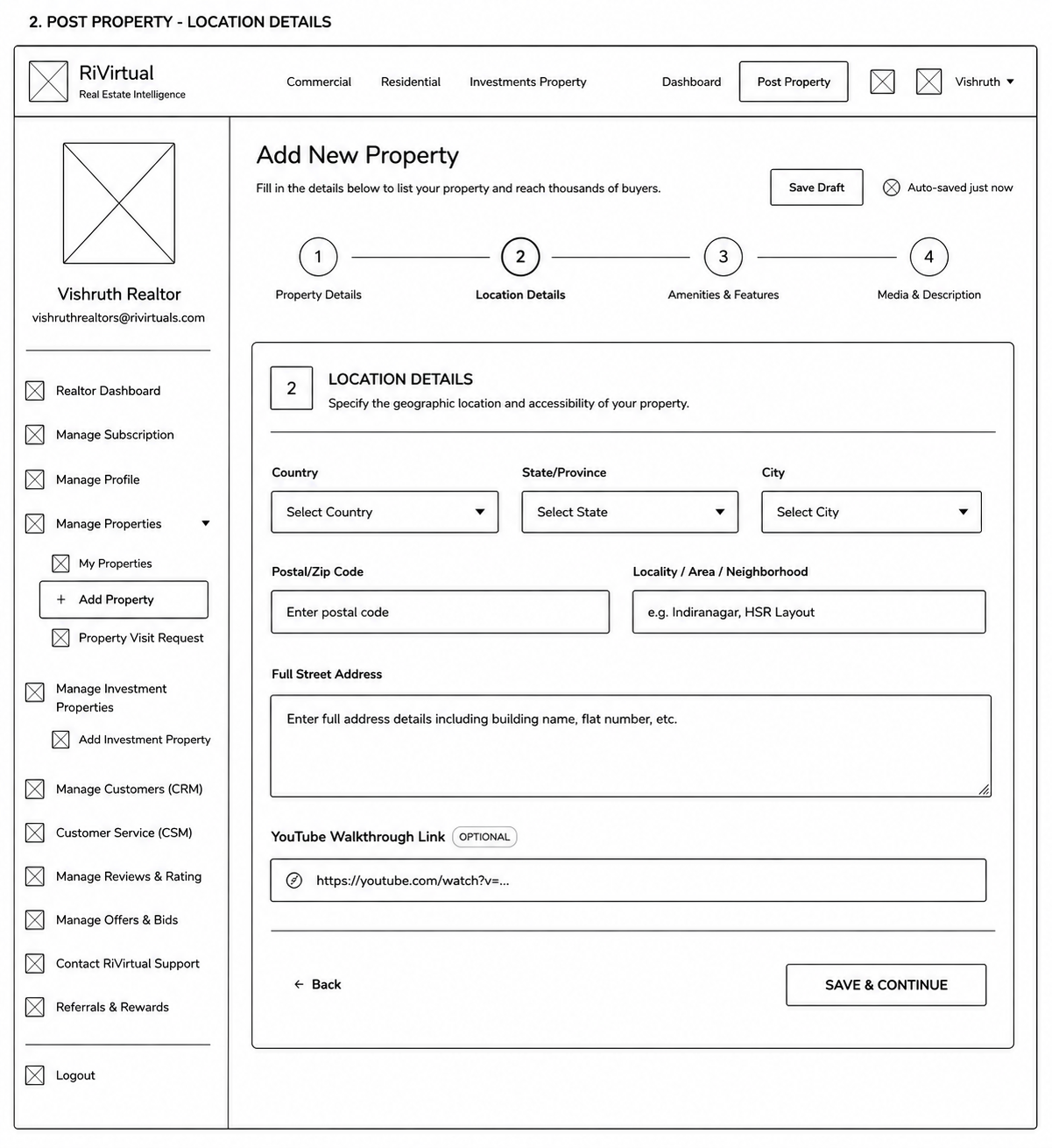
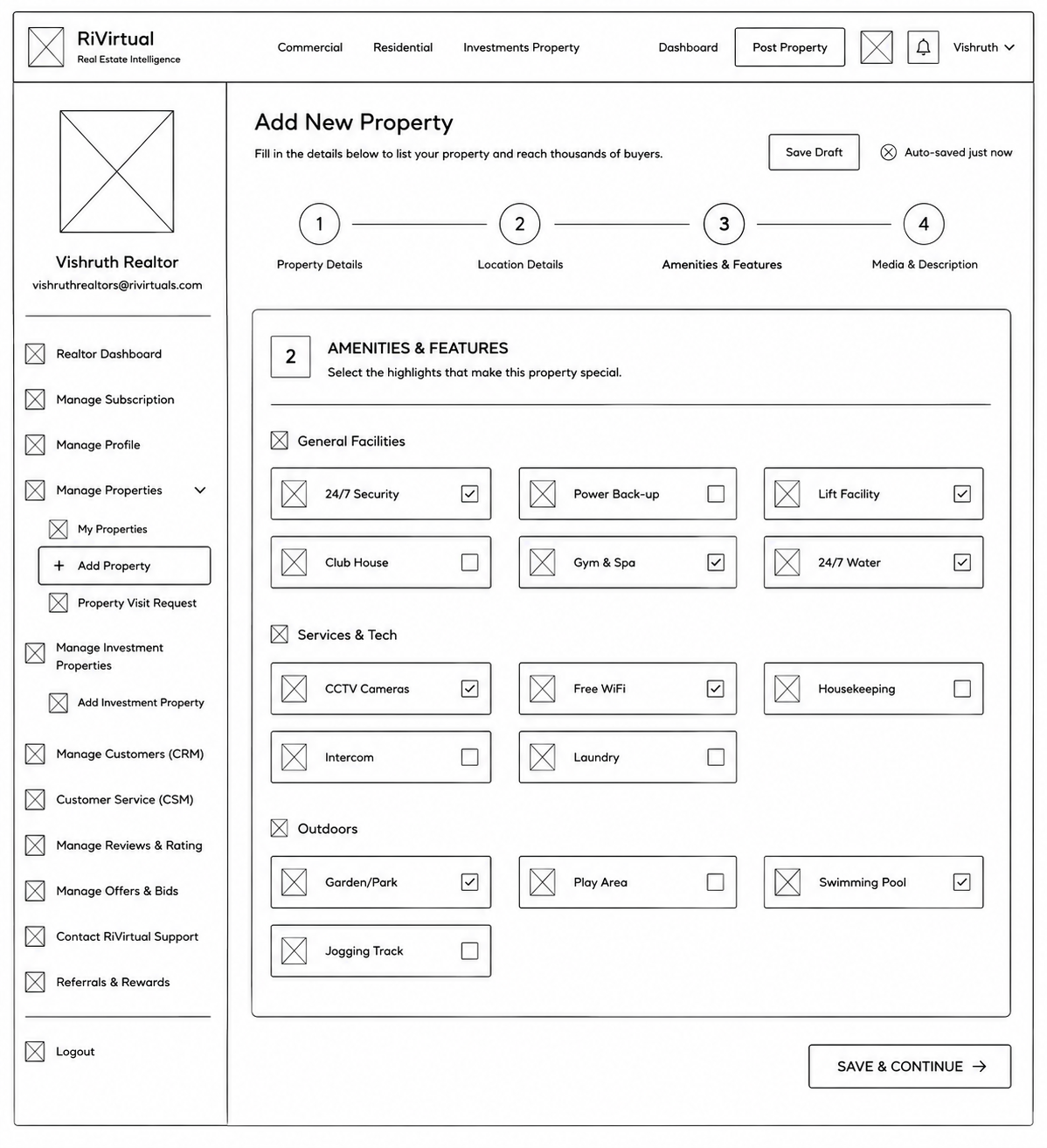
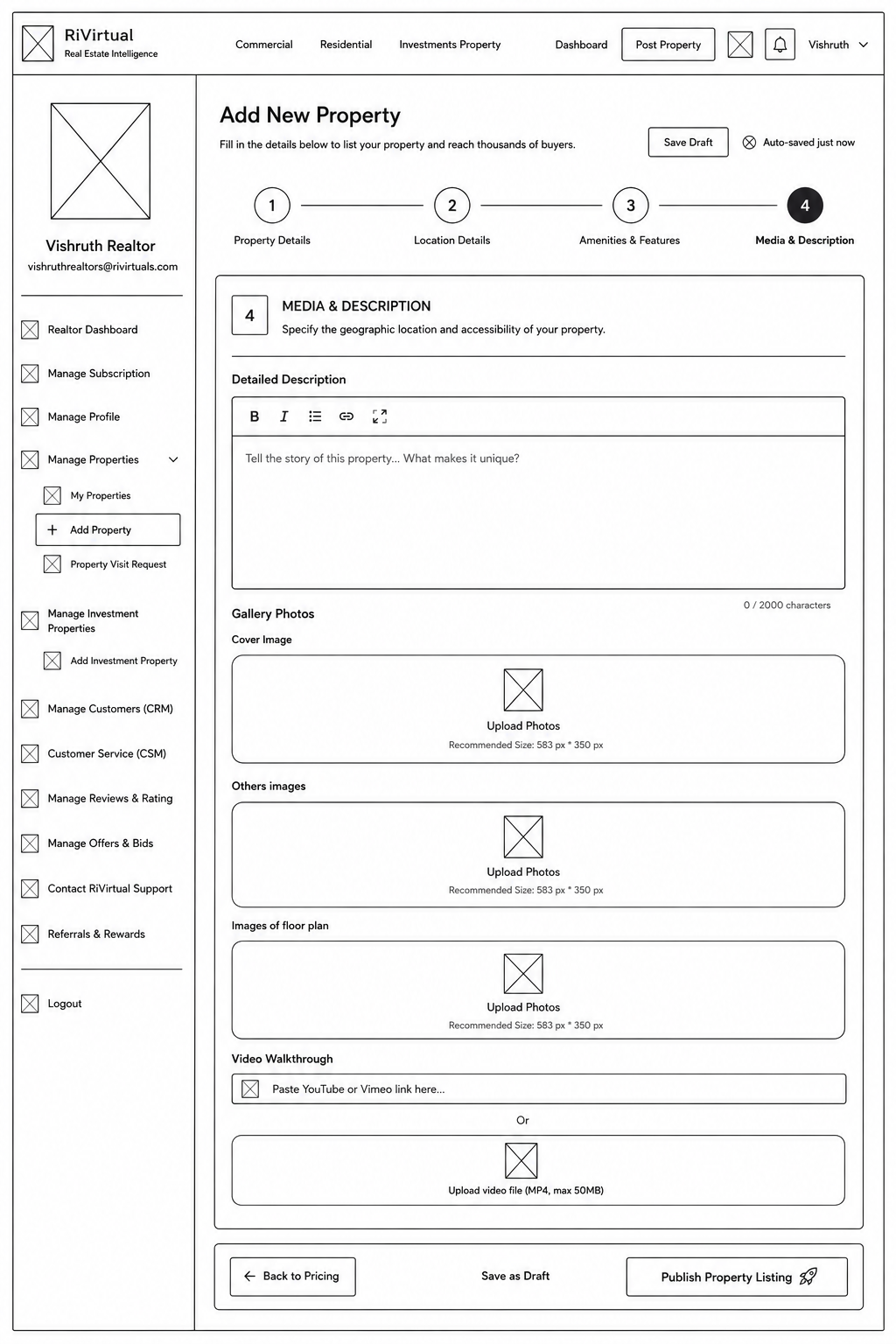
Property Posting · 4-Step Workflow
Equal-step wireframes mapping the full listing journey — property details through media upload.
Step 1 · Property Details
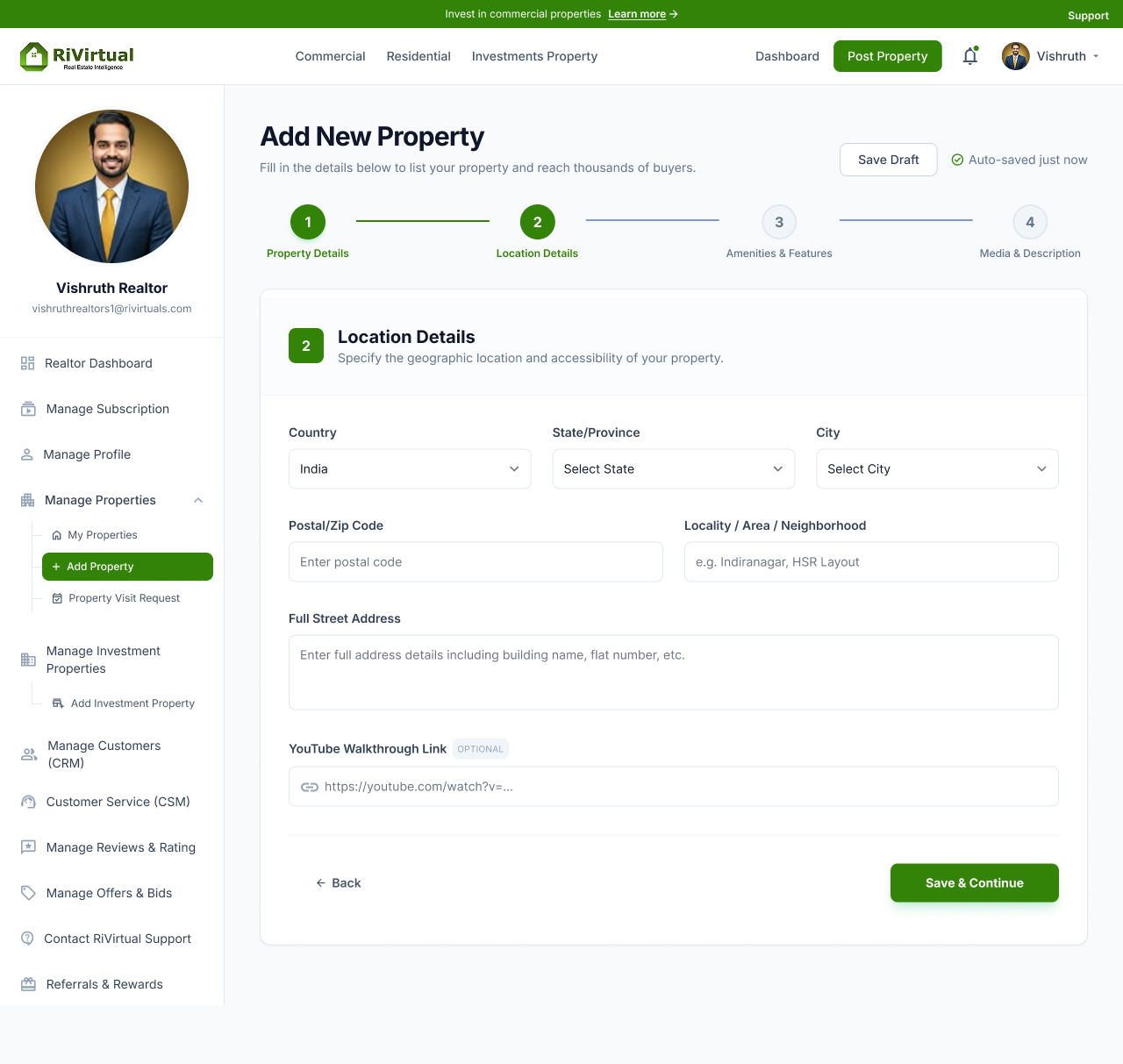
Step 2 · Location
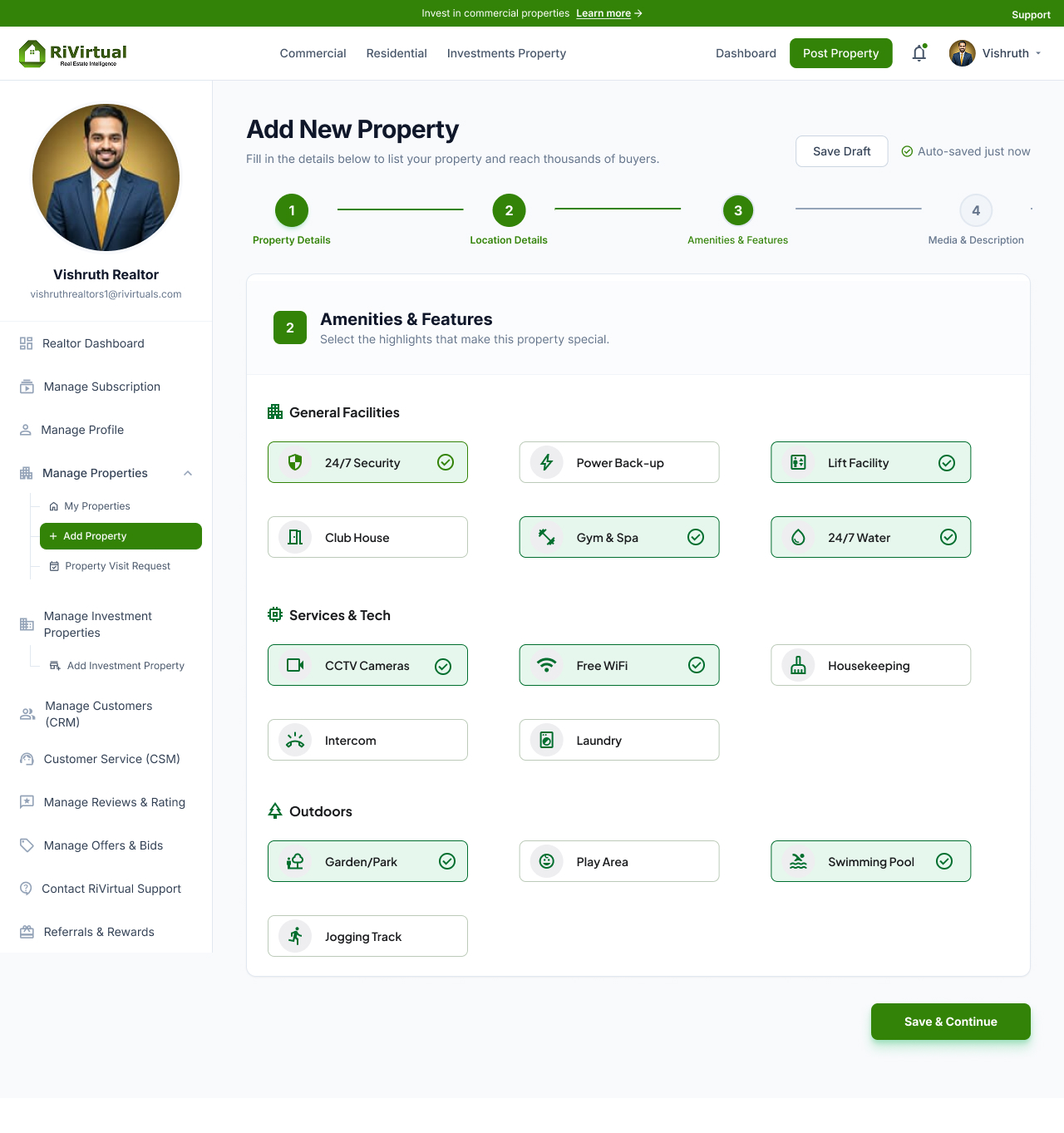
Step 3 · Amenities & Features
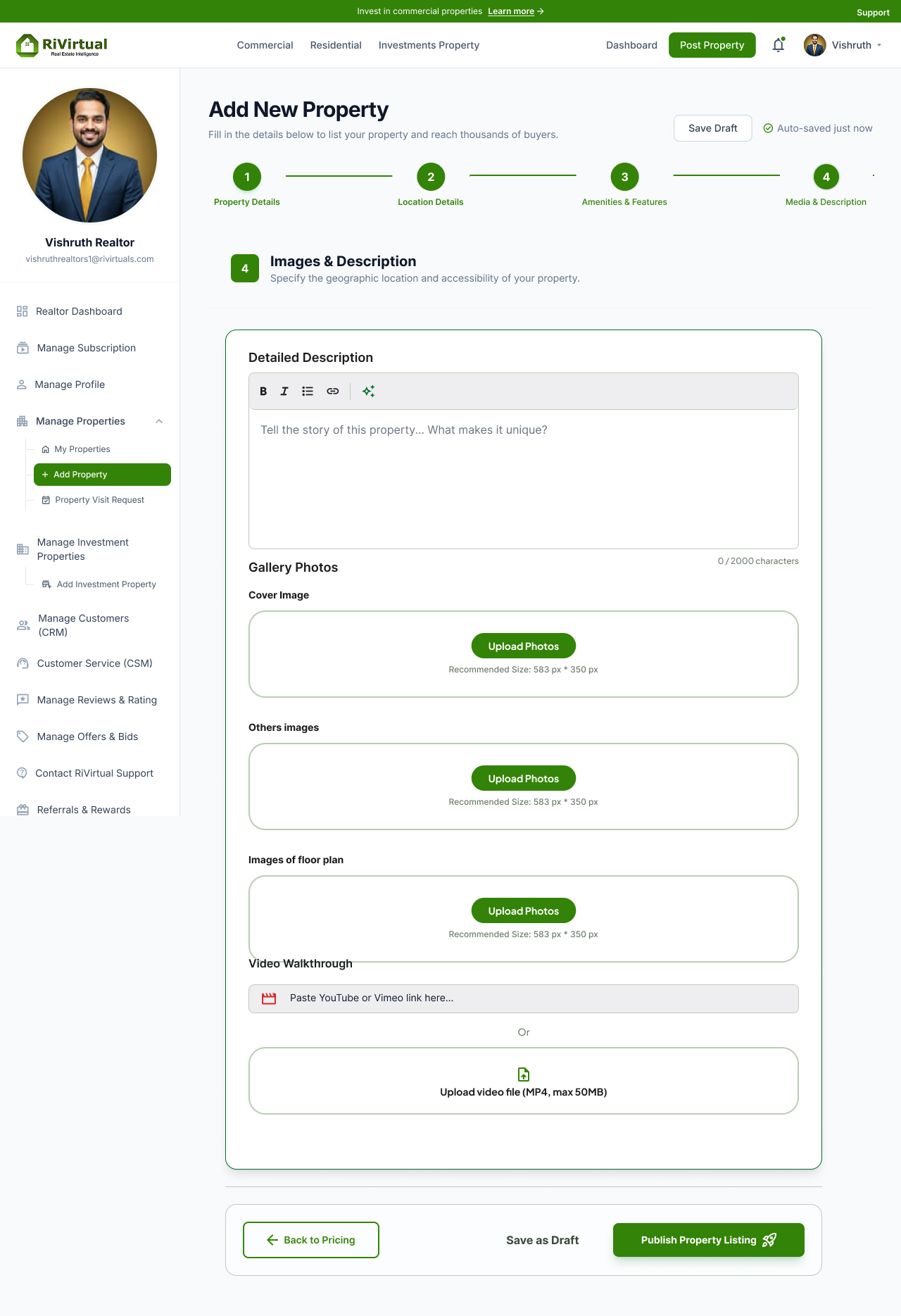
Step 4 · Images & Description
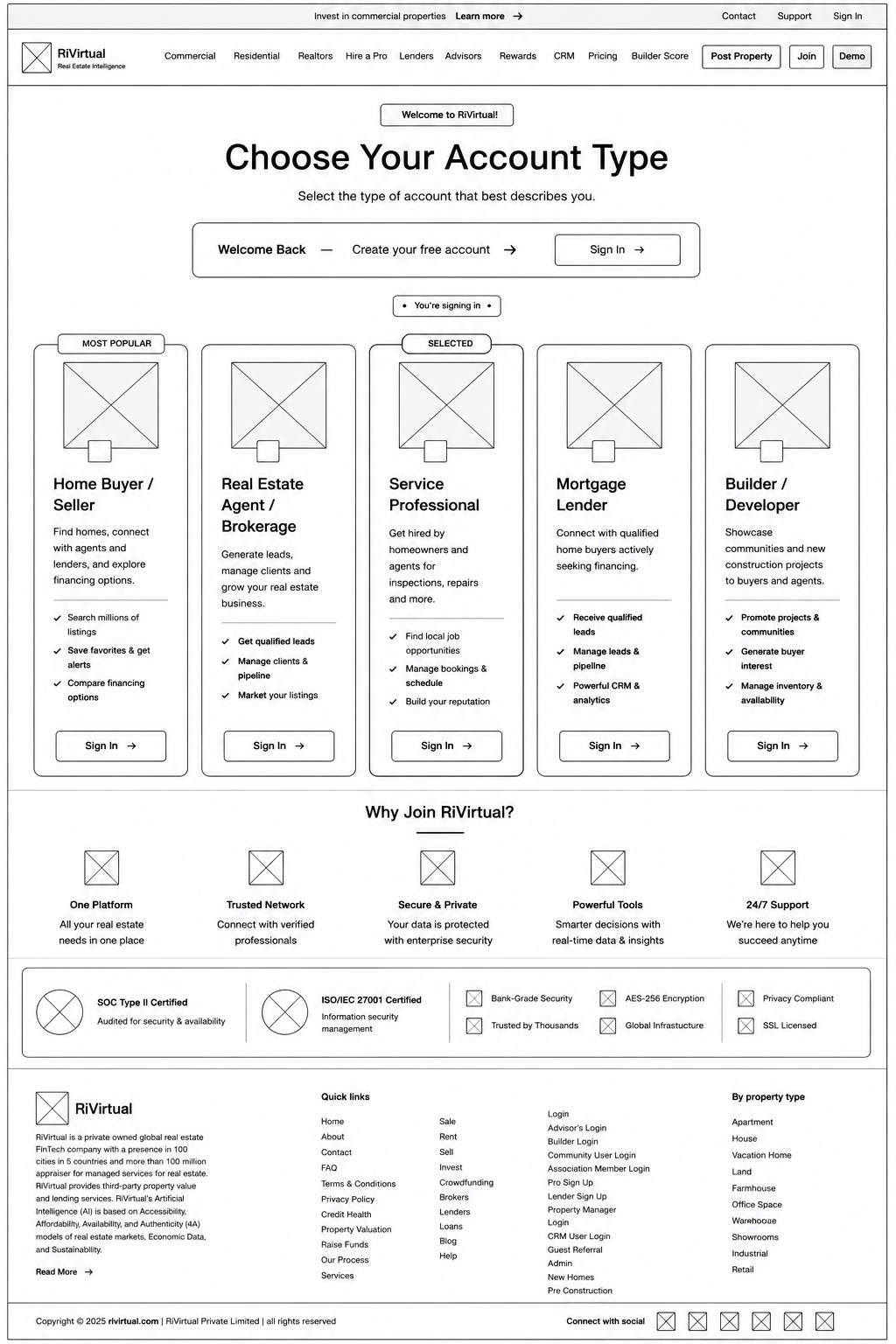
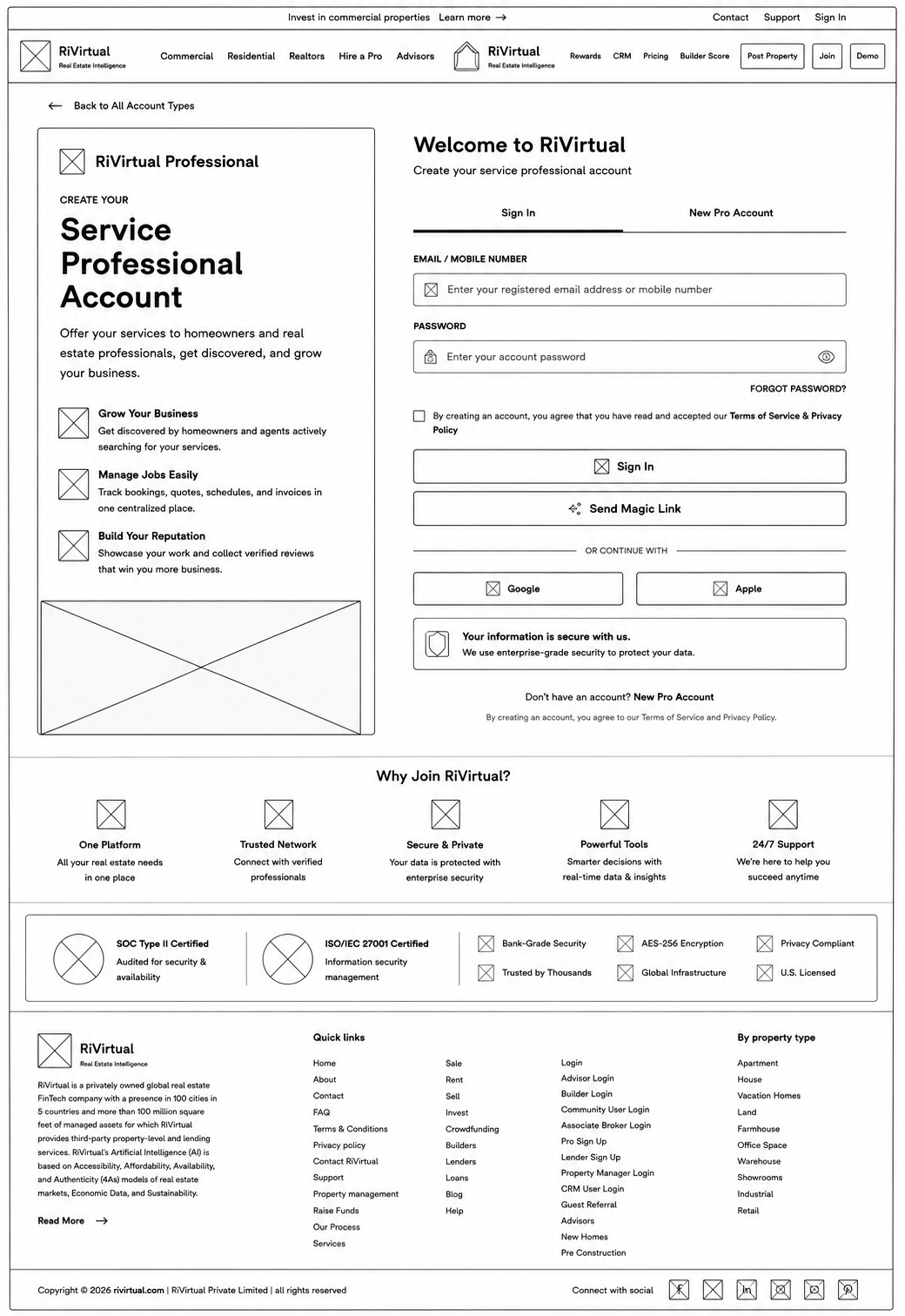
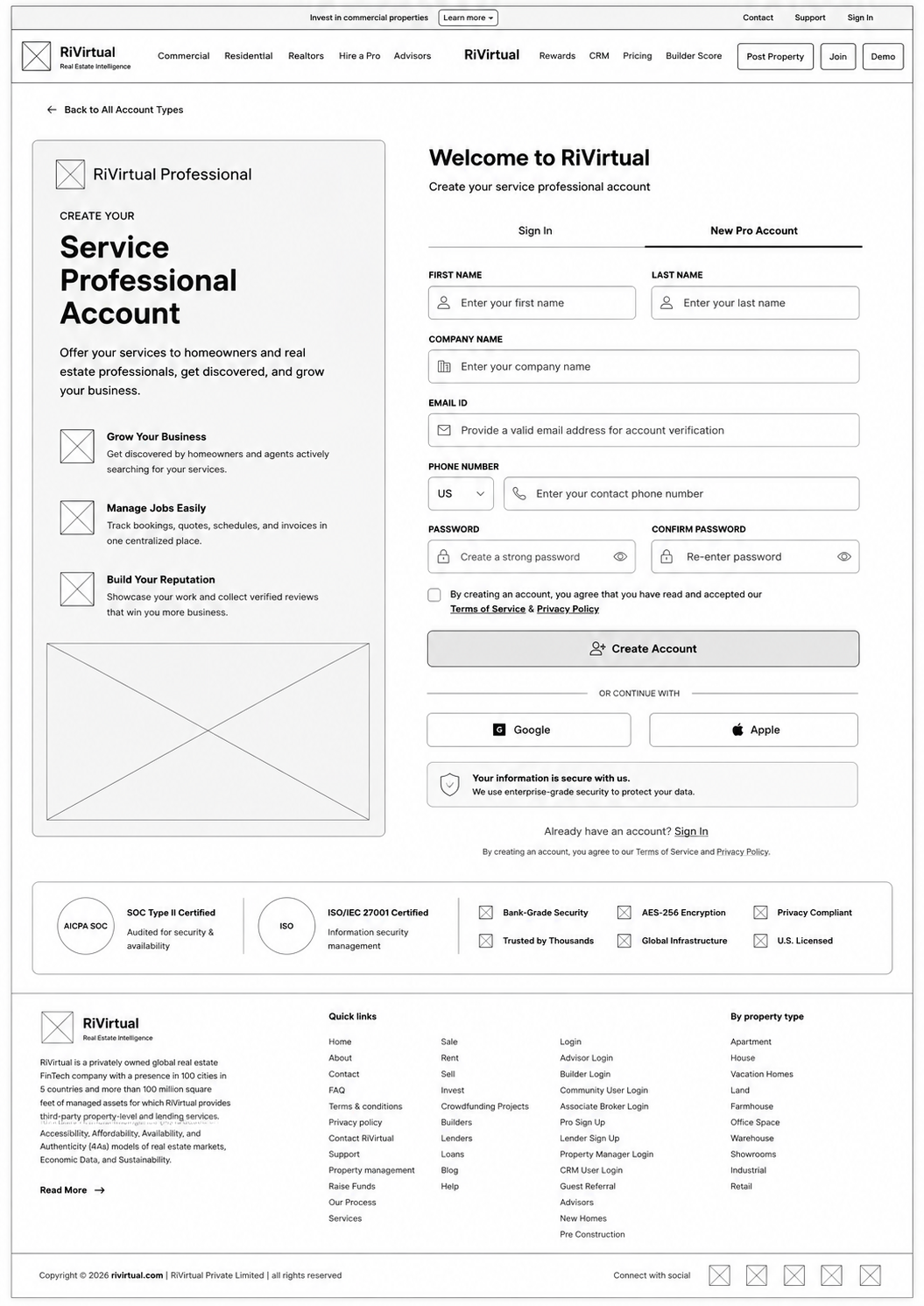
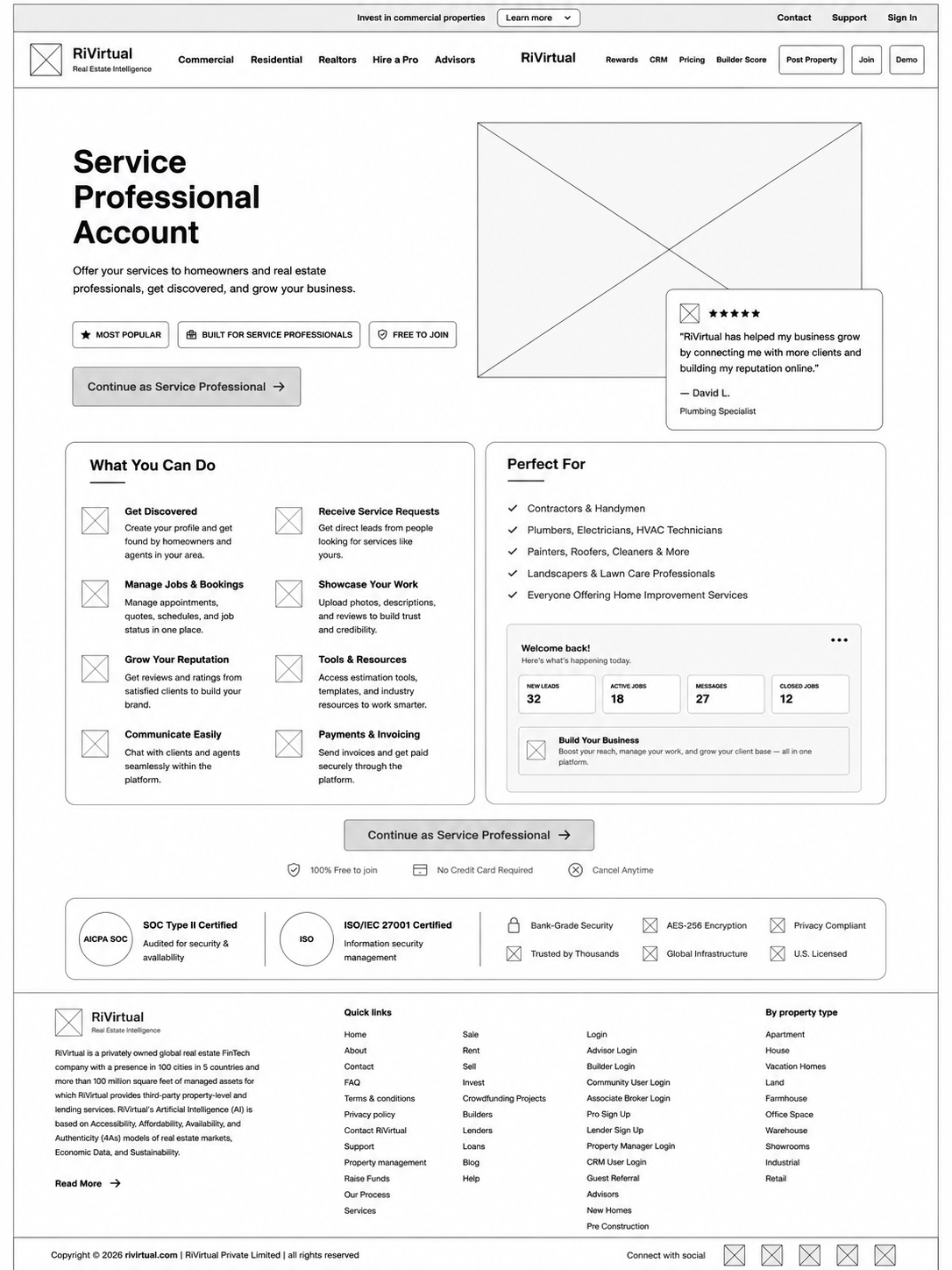
Login & Sign Up · Onboarding Flow
Account type selection through profile overview — role-based entry into the platform.
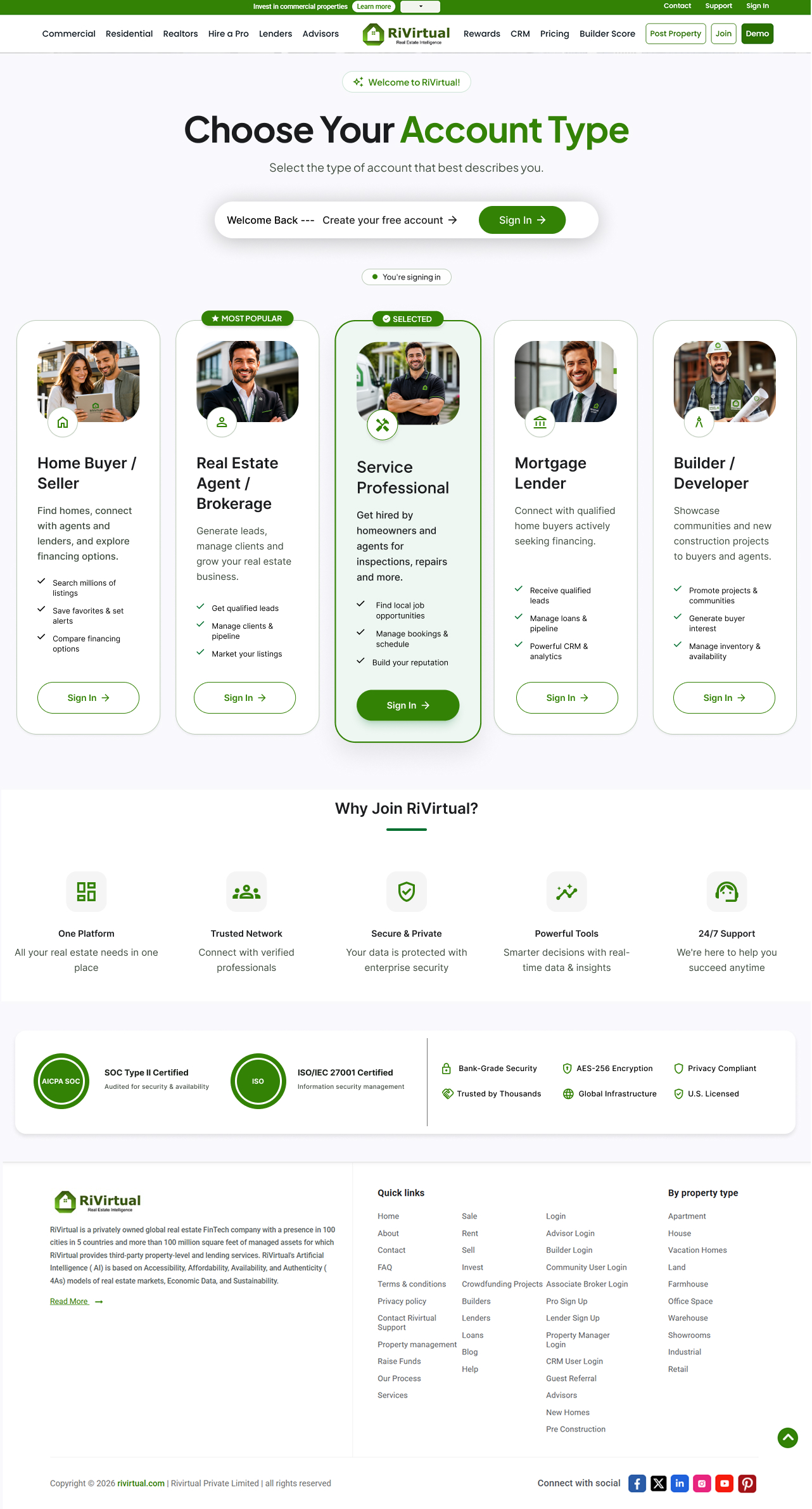
Step 1 · Choose Account Type
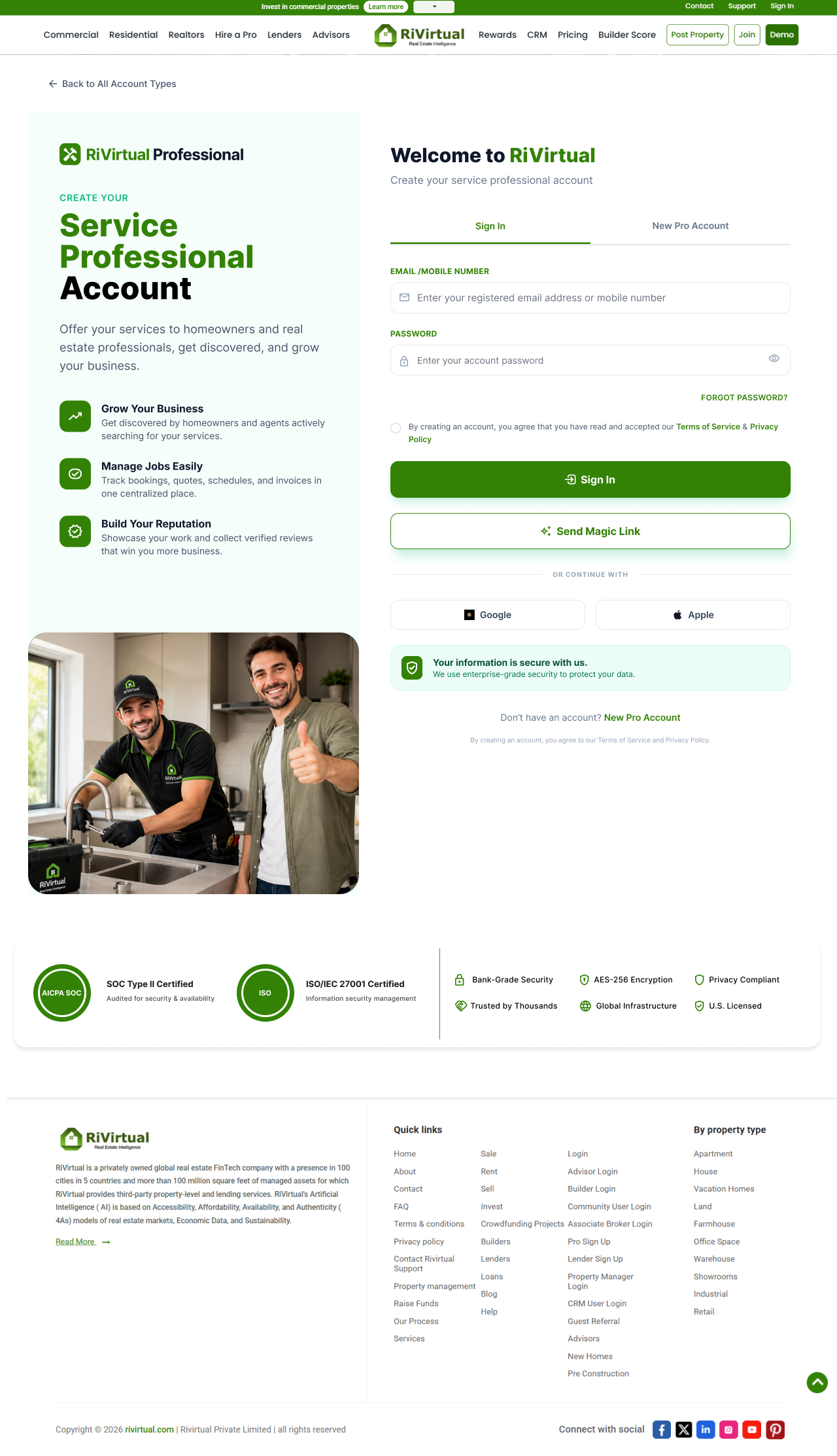
Step 2 · Sign In
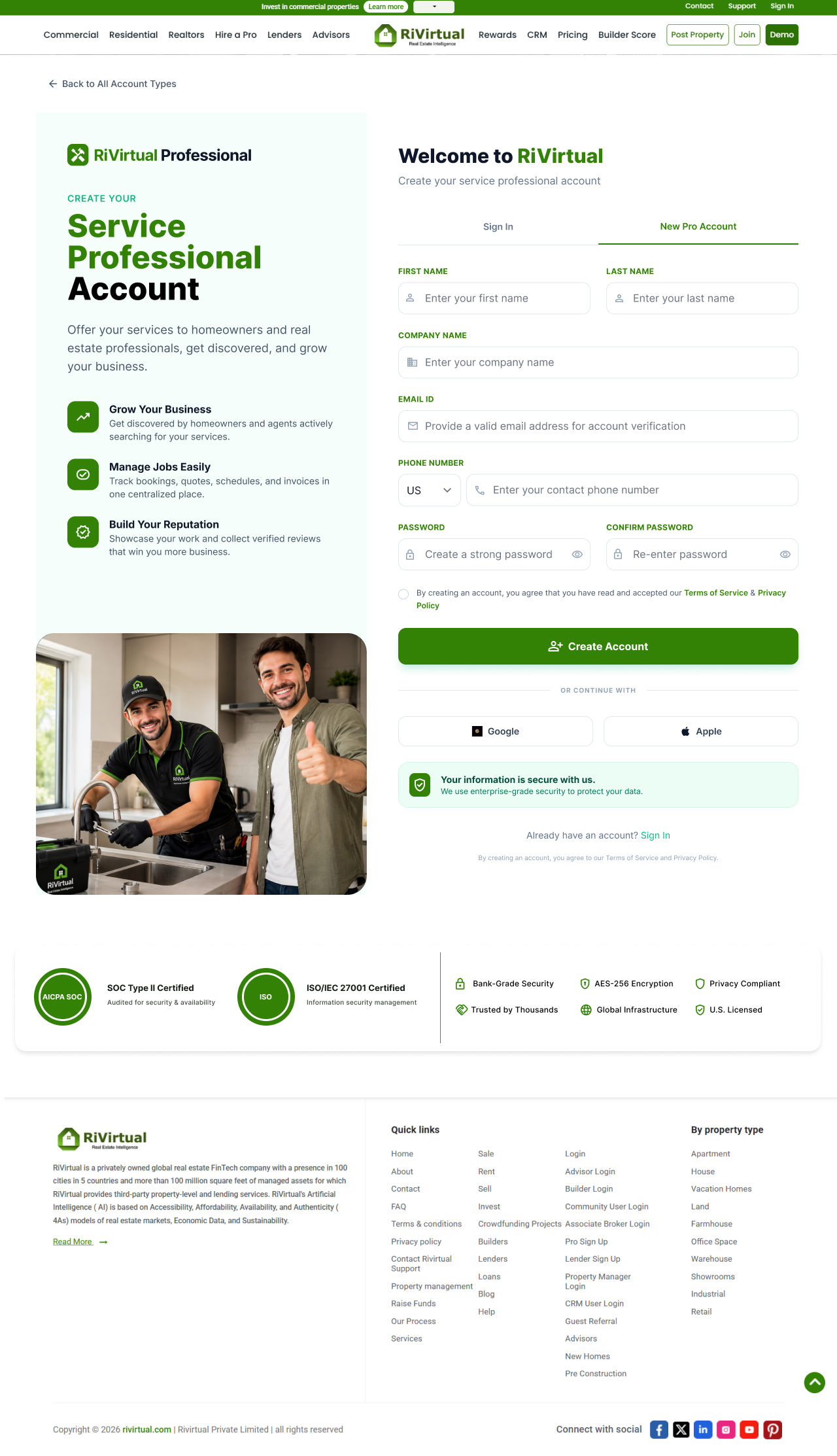
Step 3 · Sign Up
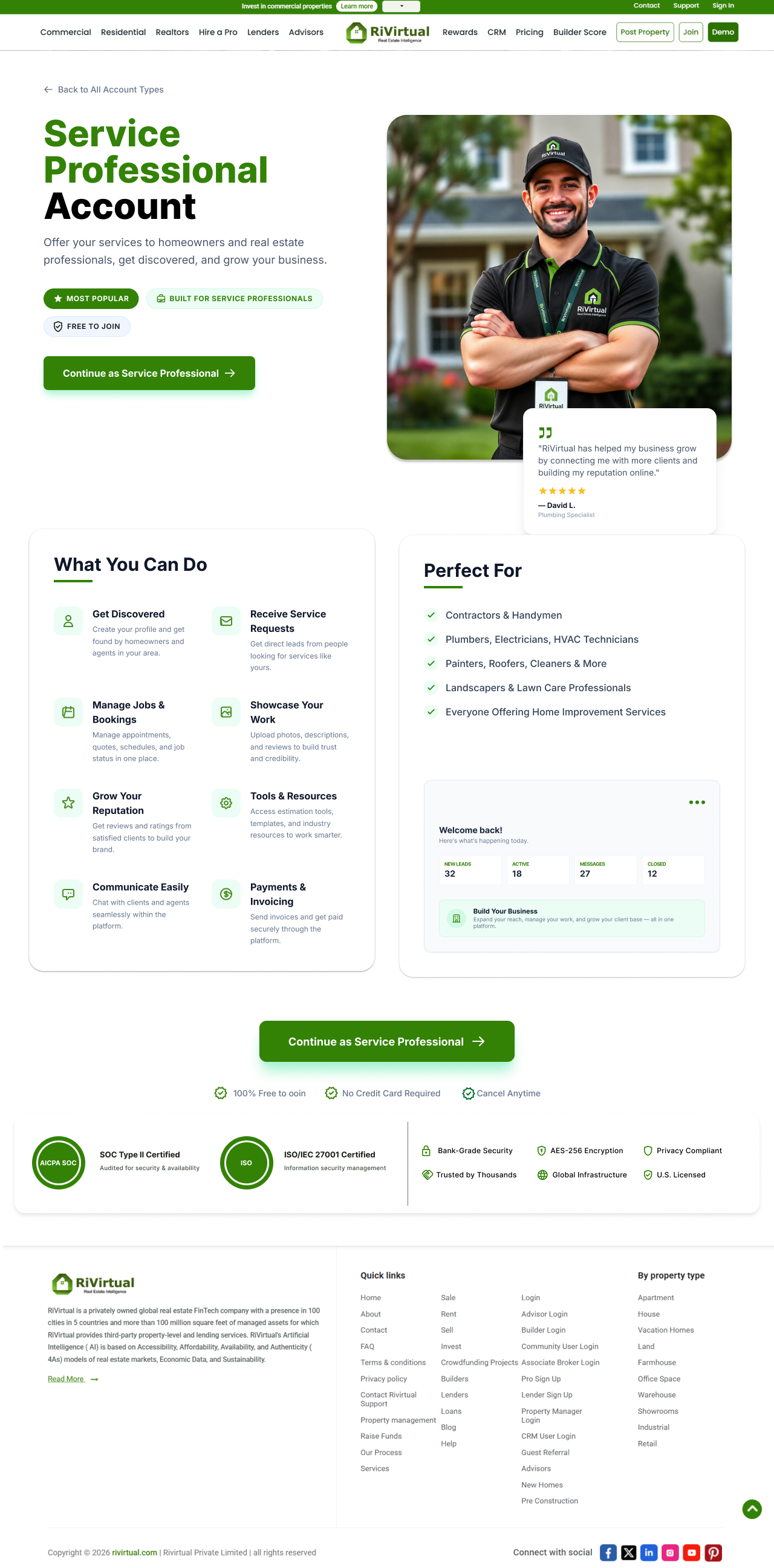
Step 4 · Profile Overview
Click any wireframe to enlarge
08 · High Fidelity Models
Production-ready UI before revamp
High-fidelity screens built from validated wireframes — full visual design, typography, and component application.
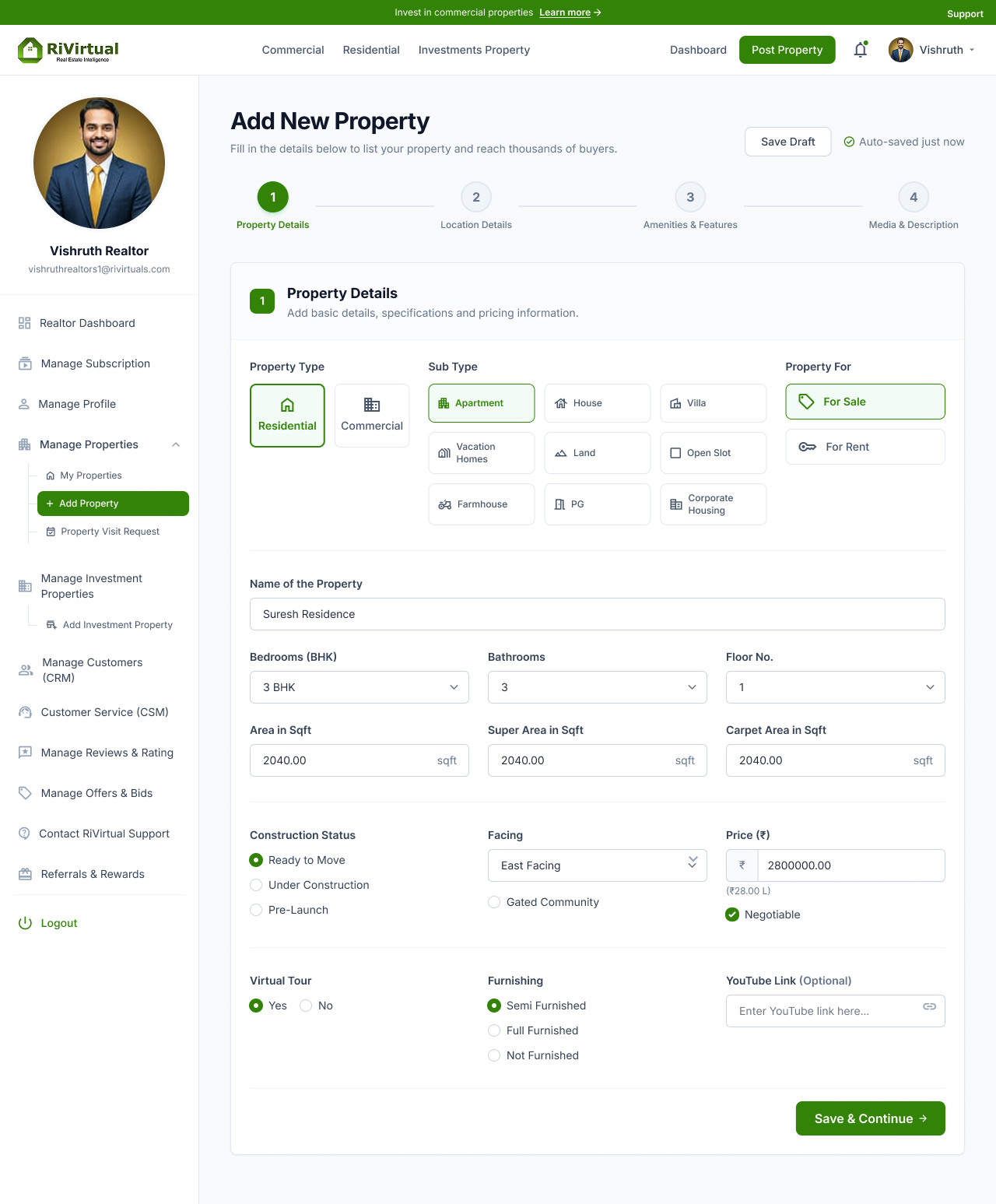
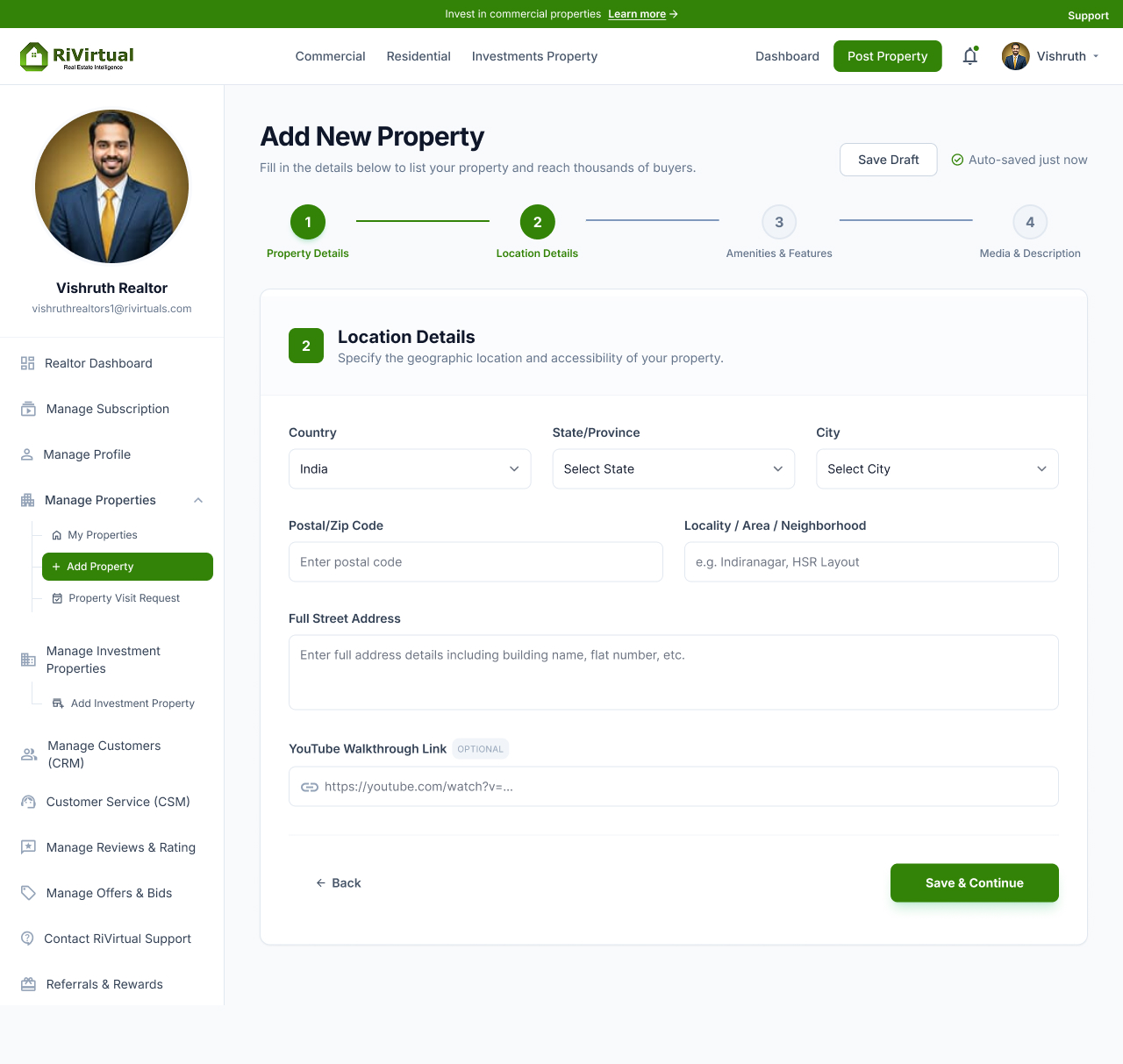
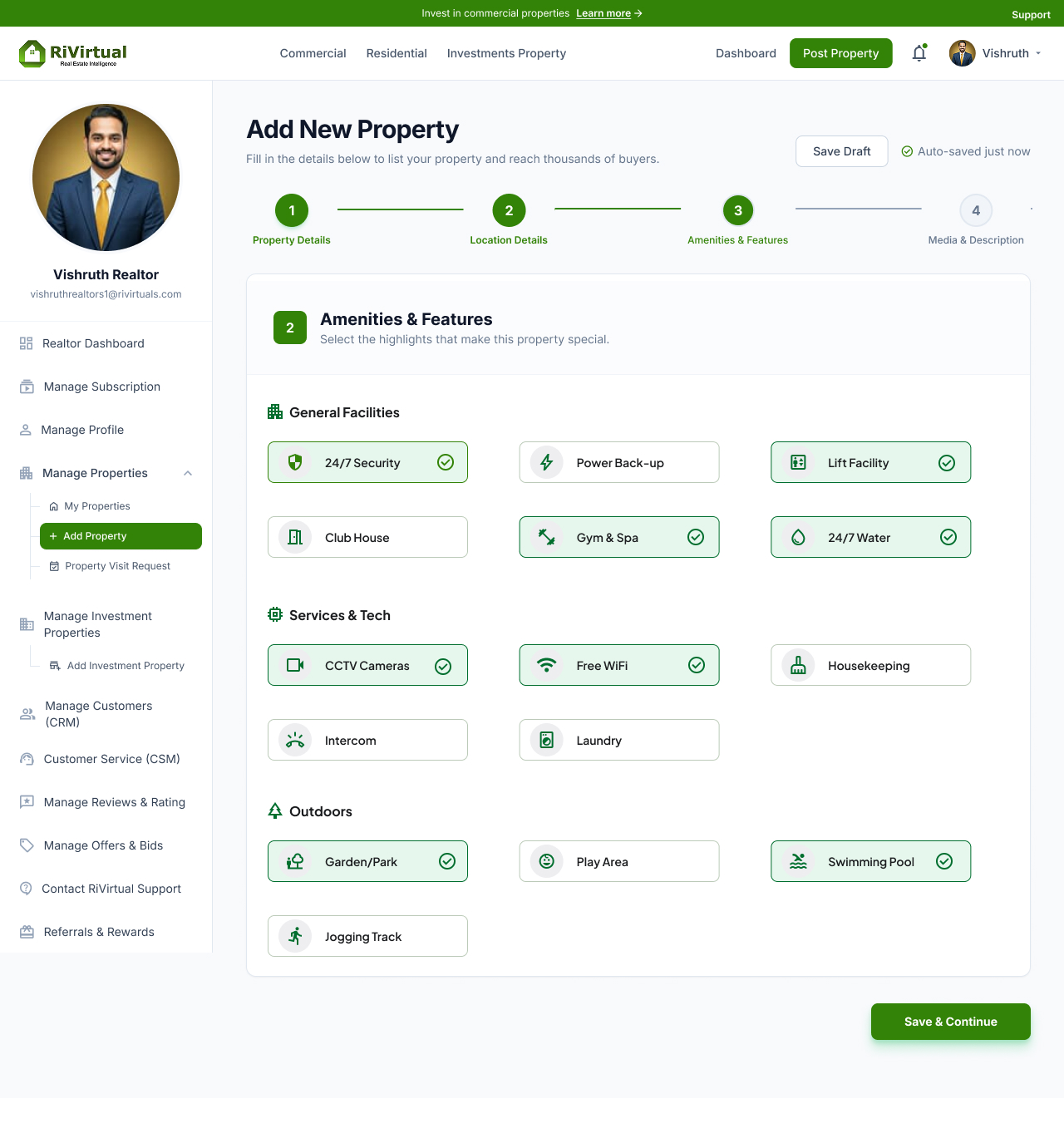
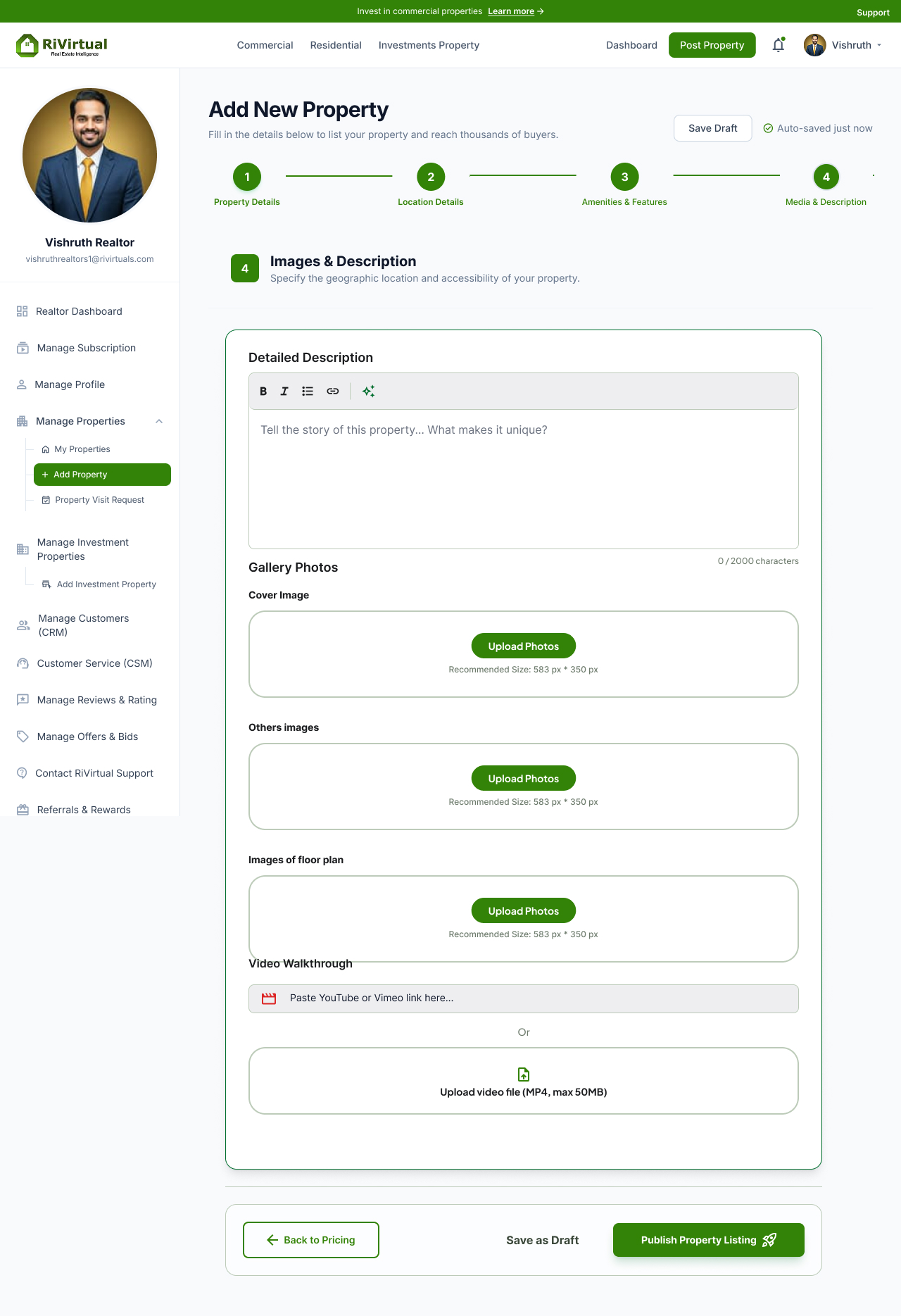
Property Posting · Hi-Fi Screens
Four polished steps with RiVirtual design system applied — ready for usability testing and engineering handoff.
Property Basic Details
Location Details
Amenities & Features
Media & Description
Login & Sign Up · Hi-Fi Screens
Authentication and onboarding with full brand treatment — account type, sign-in, sign-up, and profile overview.
Choose Account Type
Sign In
Sign Up
Profile Overview
Click any screen to enlarge
09 · Revamp Screens
Legacy to redesigned — every module
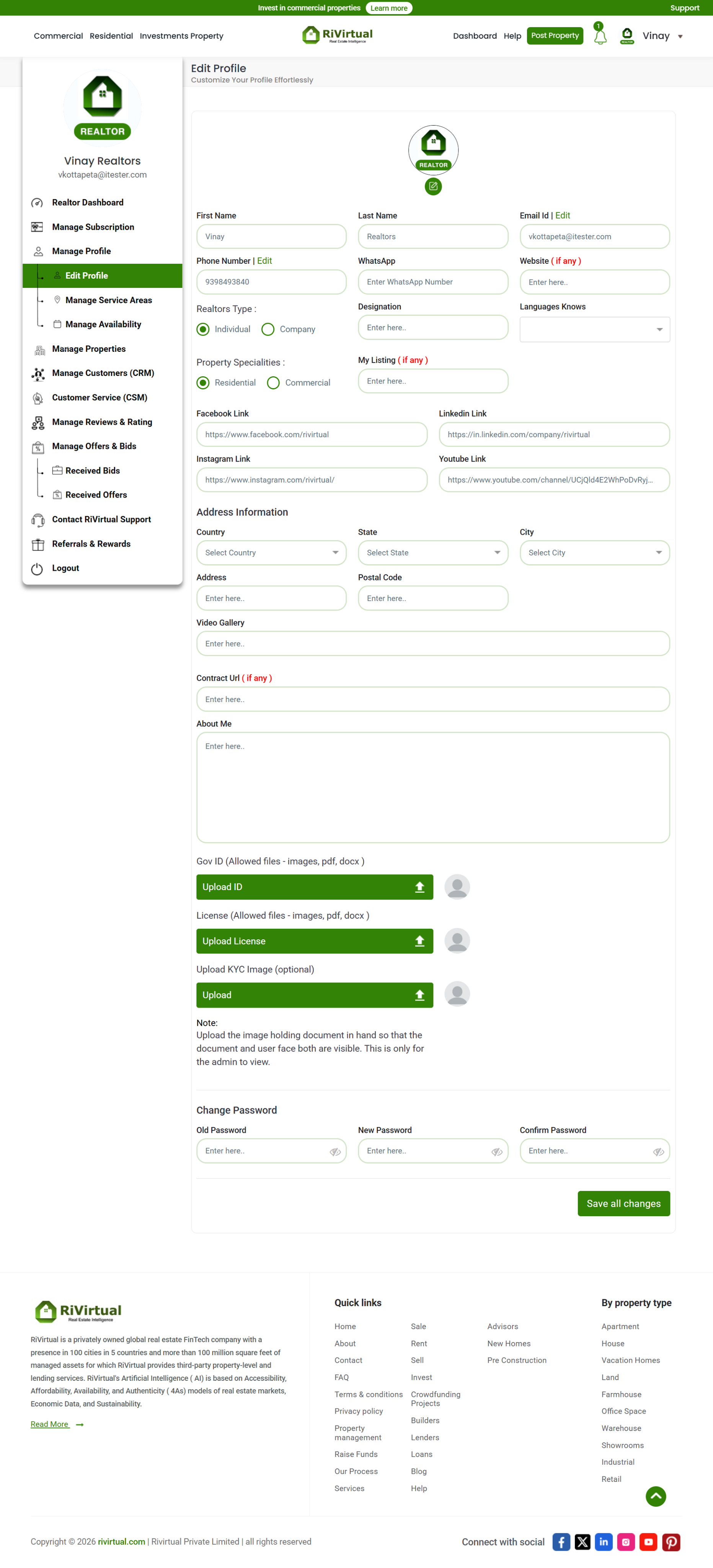
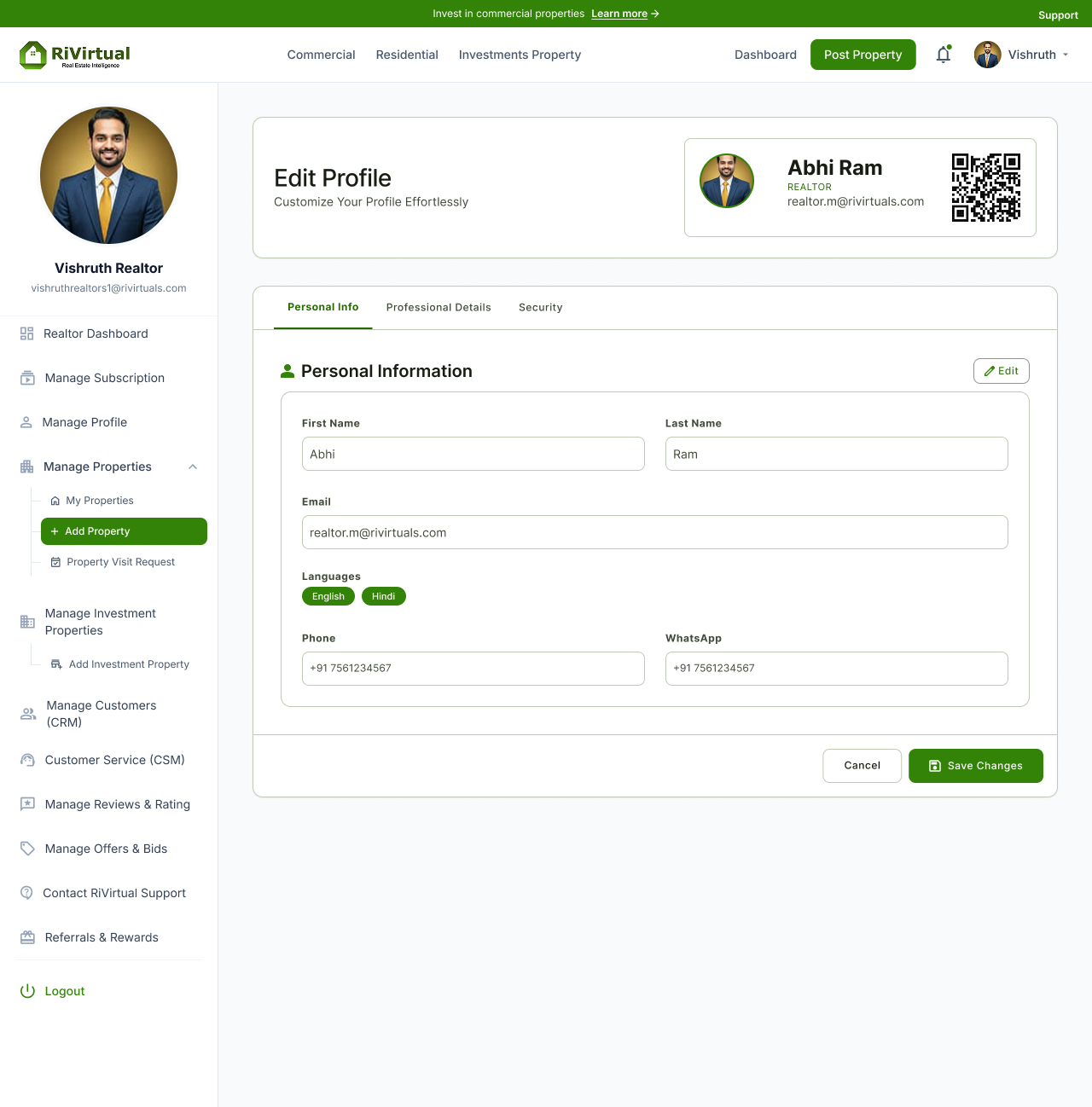
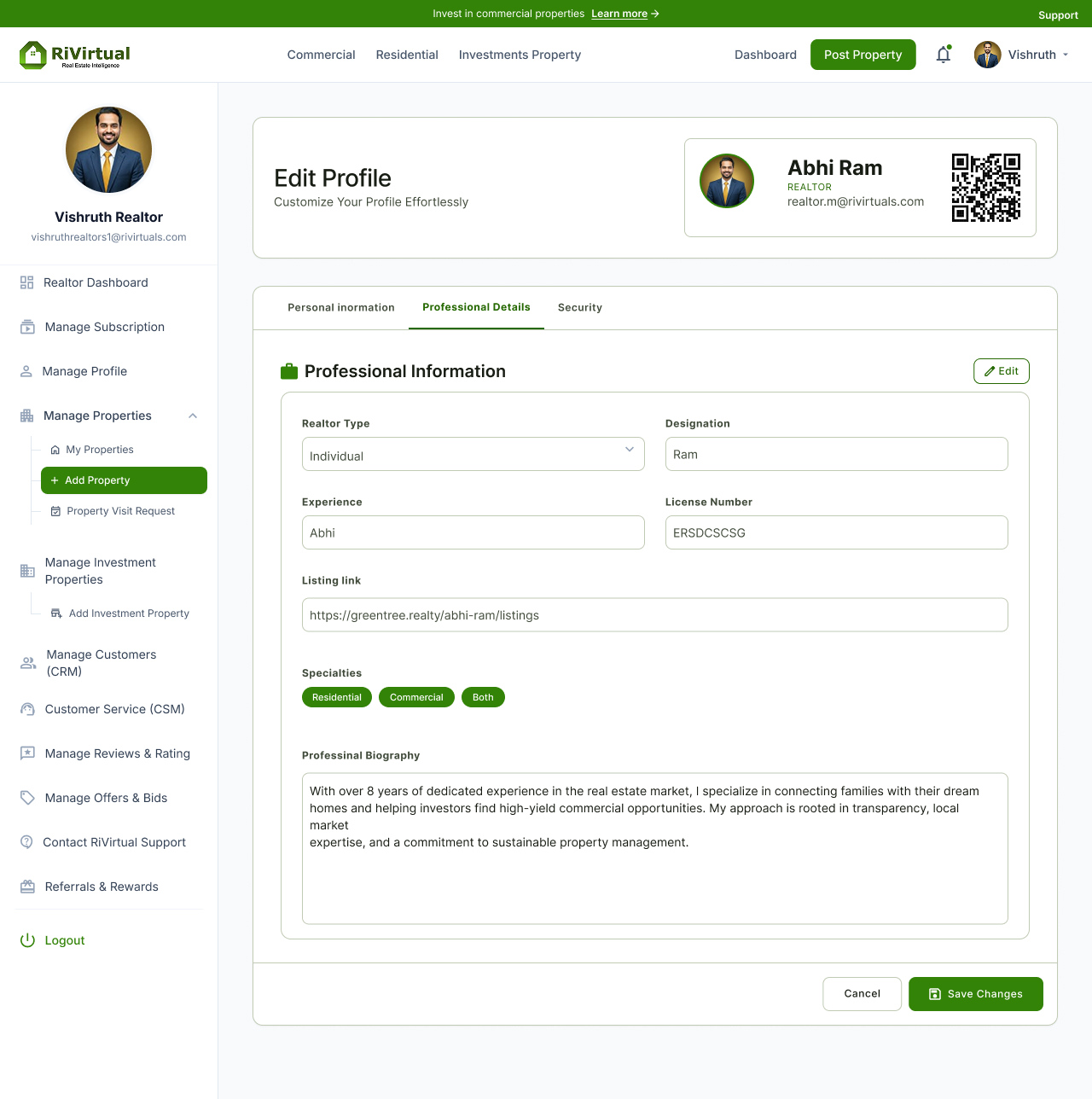
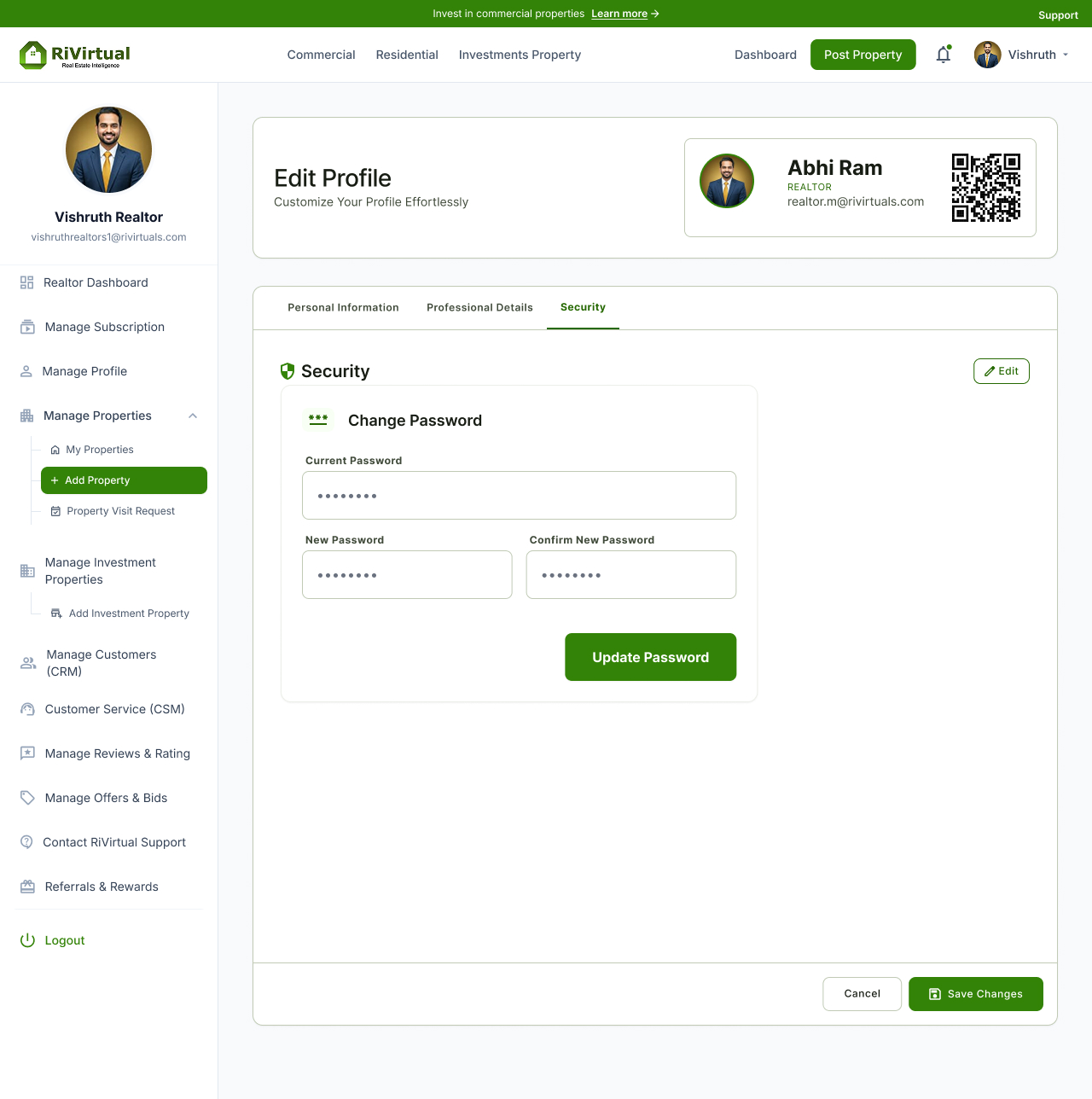
Real before/after pairs from the RiVirtual website case study — property posting, profile editing, and CRM revamp screens.
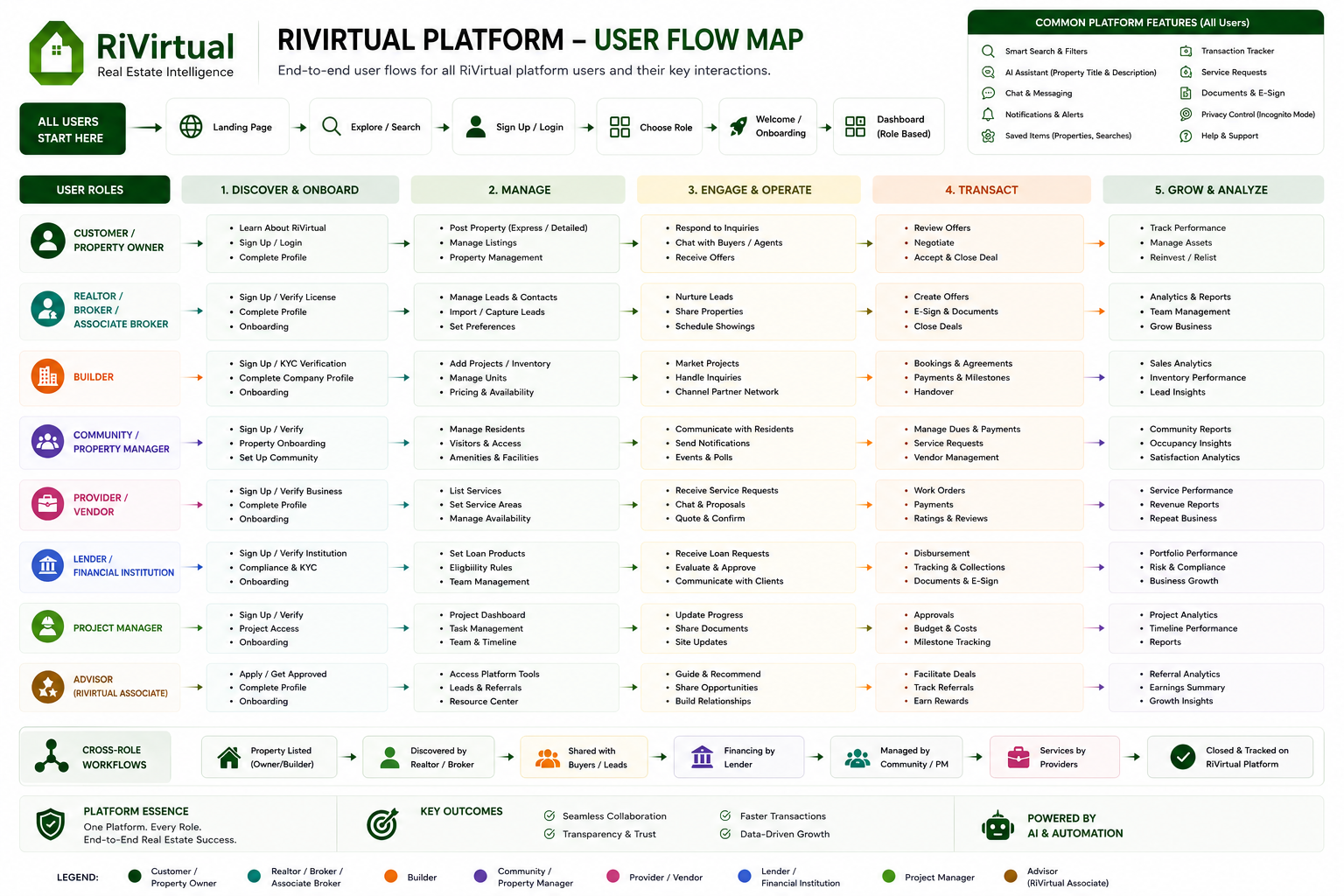
Property Listed→Discovered by Realtor→Shared with Buyers→Financing by Lender→Managed by Community / PM→Services by Providers→Closed & Tracked
Customer Realtor Builder Community Provider Lender Project Mgr Advisor
All Users Flow Map
Click the diagram to enlarge
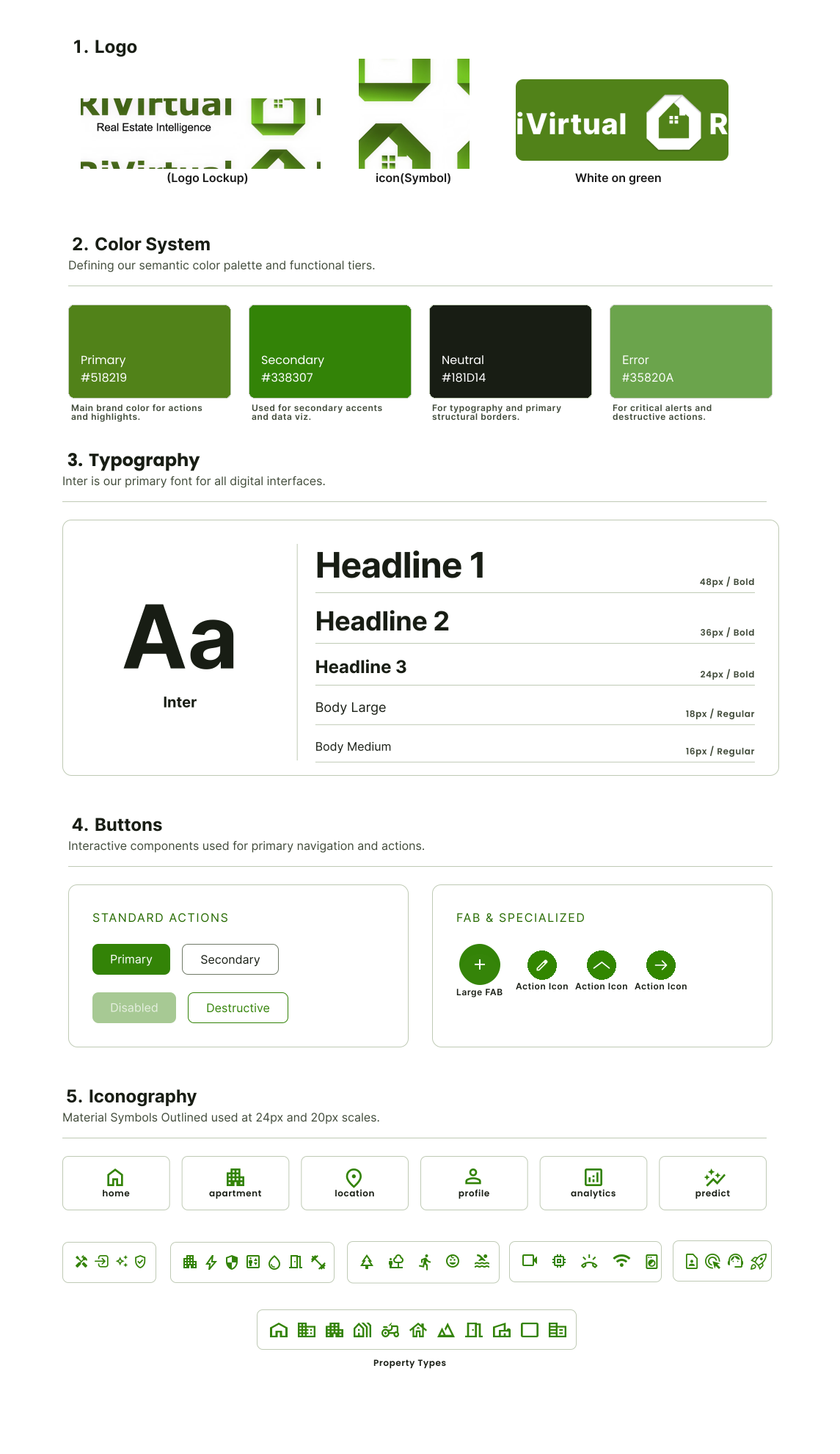
11 · Design System
One language across CRM, posting & onboarding
Typography, color, components, and spacing — one board, one system.
Adopted across web + mobile by engineering teams in USA & Canada.
Special Case Study · RiVirtual Only12 · Digital Business Card
Networking modernized for real estate professionals
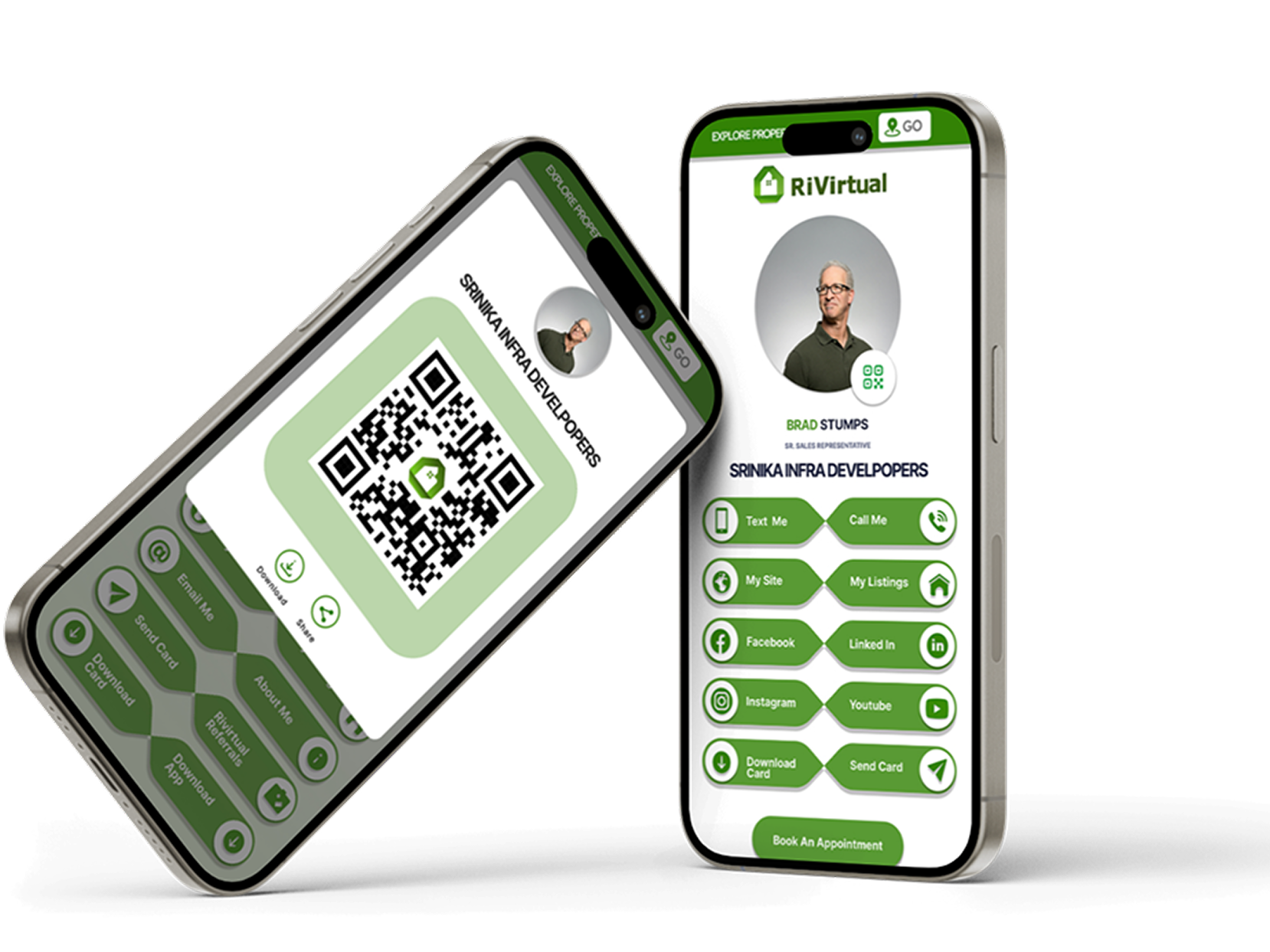
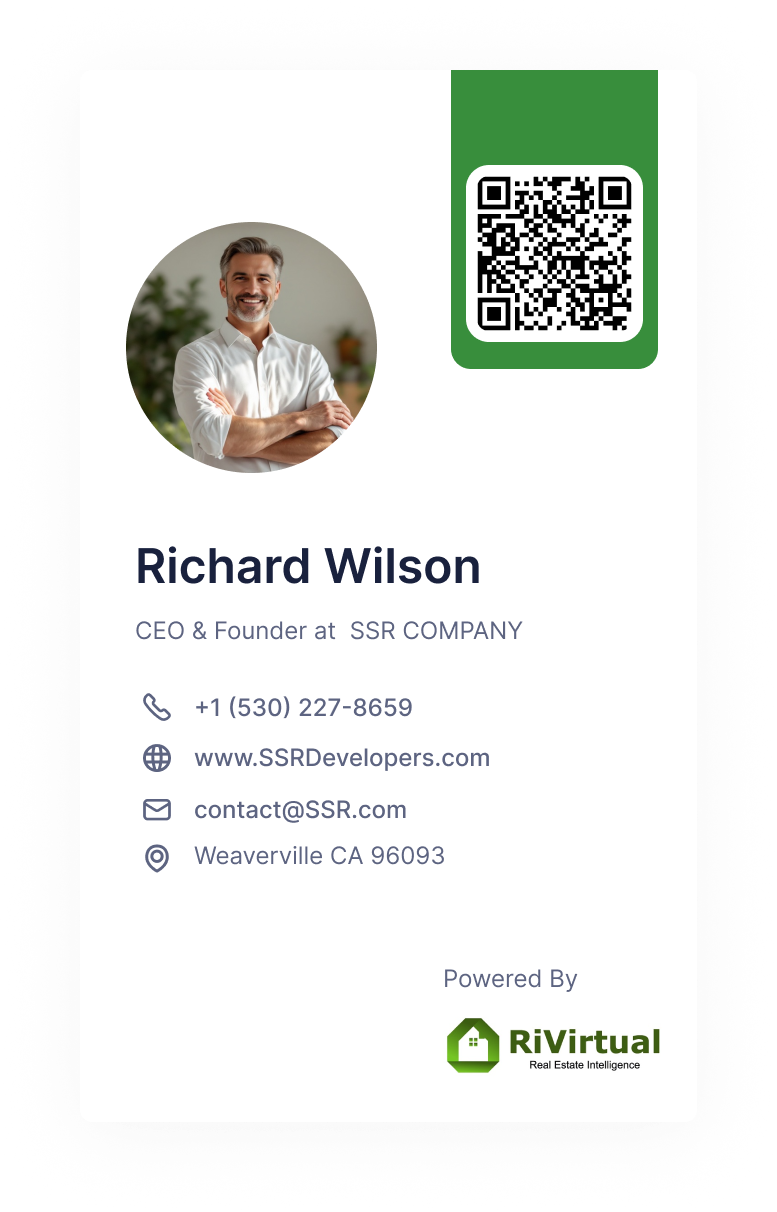
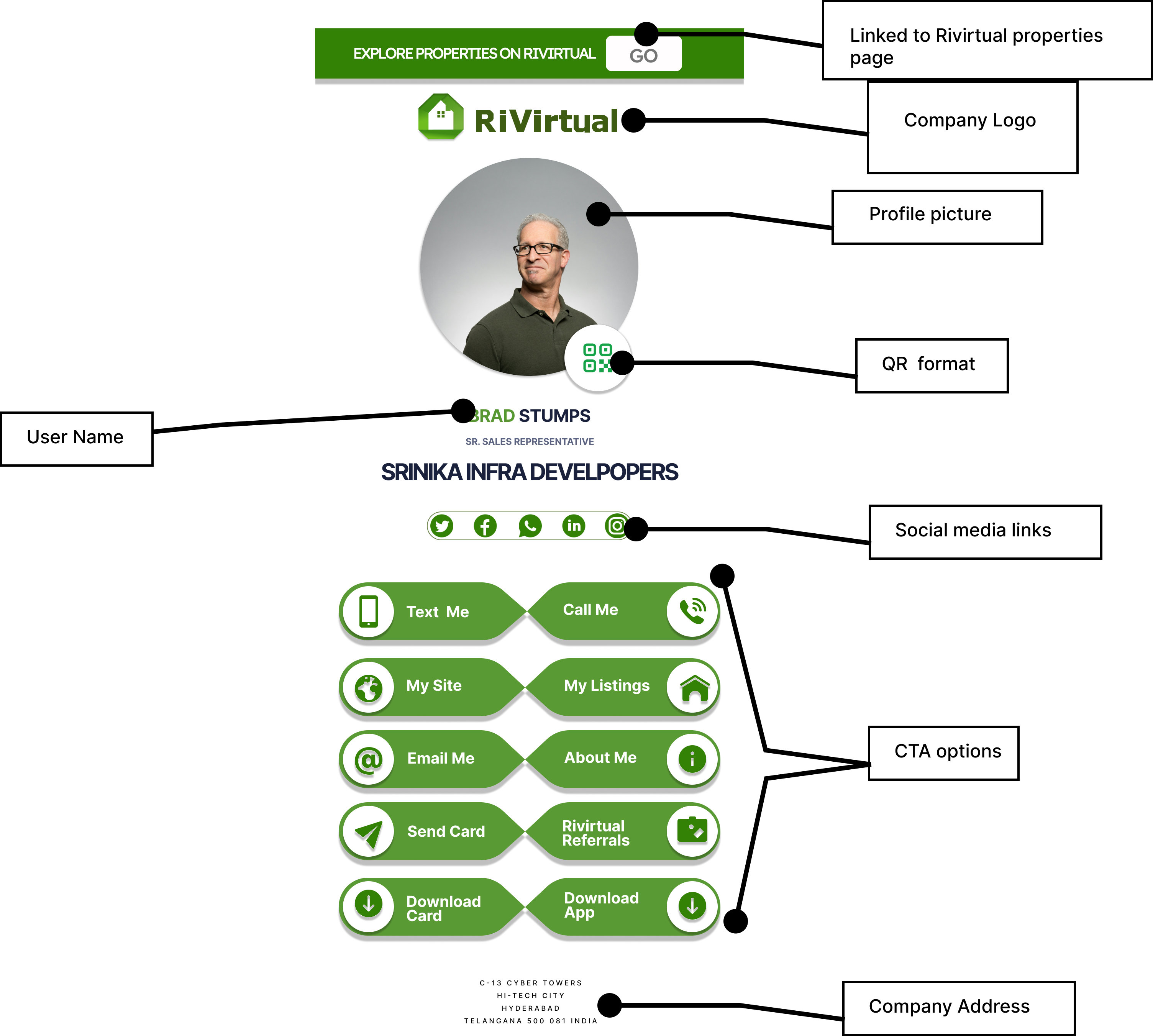
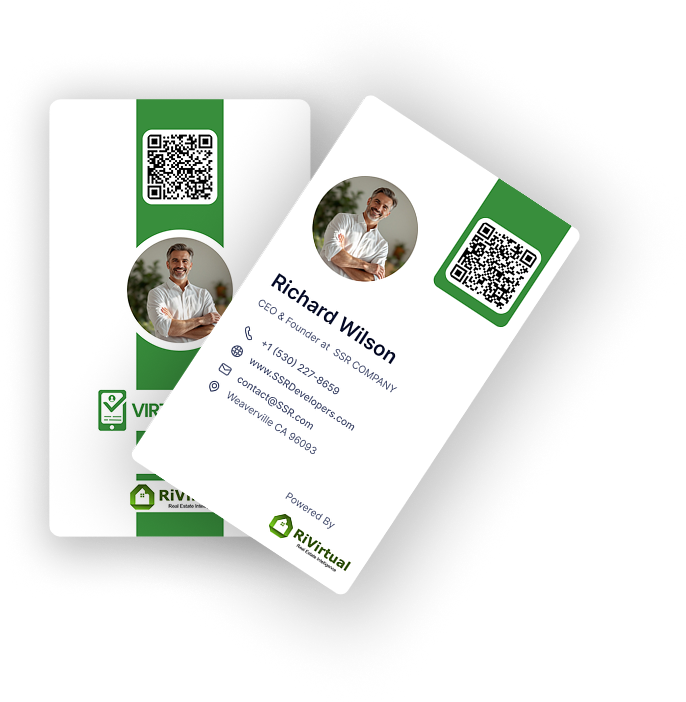
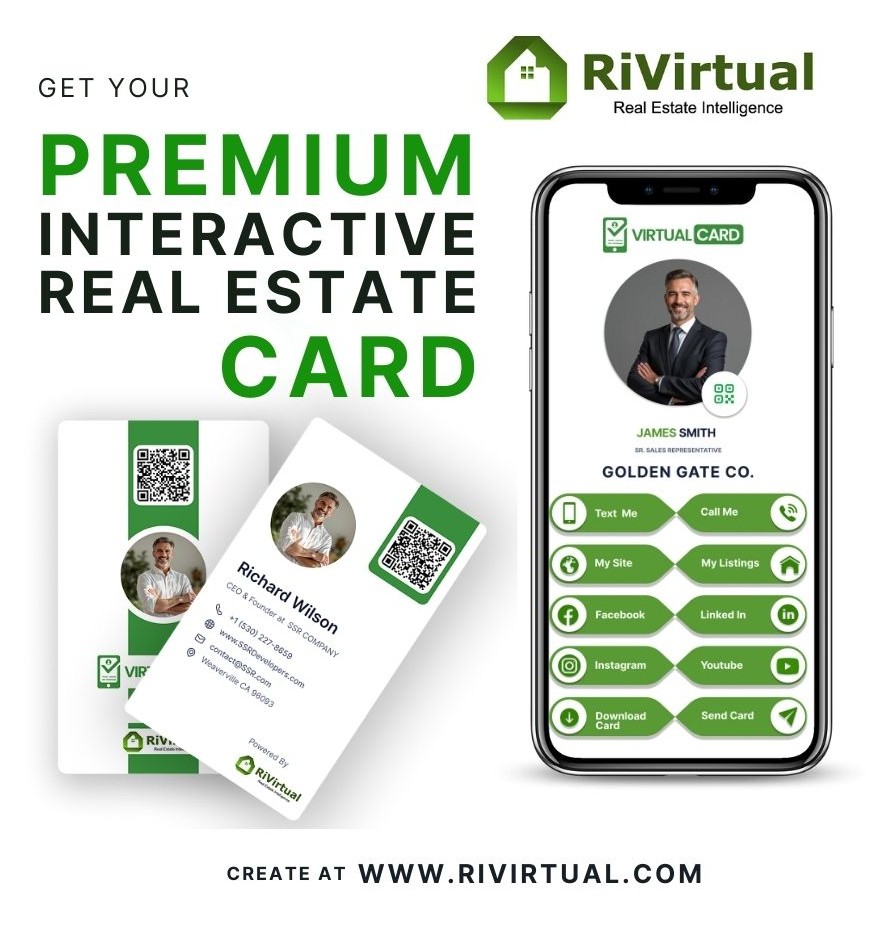
A personalized virtual business card — share contact info, listings, and QR access through a mobile-first, clickable interface. Free for agents, brokers, builders, lenders, and property managers.
10K+digital cards issued
60K+businesses on platform
100K+active users
The problem
Why paper business cards fall short in real estate.
Easily lostPaper cards get misplaced after a single meeting
Quickly outdatedContact details change but cards cannot update
No analyticsZero visibility into engagement or follow-up
Multi-step sharingSharing listings requires separate channels
How it works
Five steps from dashboard to a shareable, trackable digital card.
1
Access
Open your card link from the RiVirtual dashboard
2
View
See your branded card with photo, QR, and contact info
3
Interact
Tap CTAs — Text Me, Call Me, My Site, My Listings
4
Share
Download as PDF or share the QR code as JPEG
5
Update
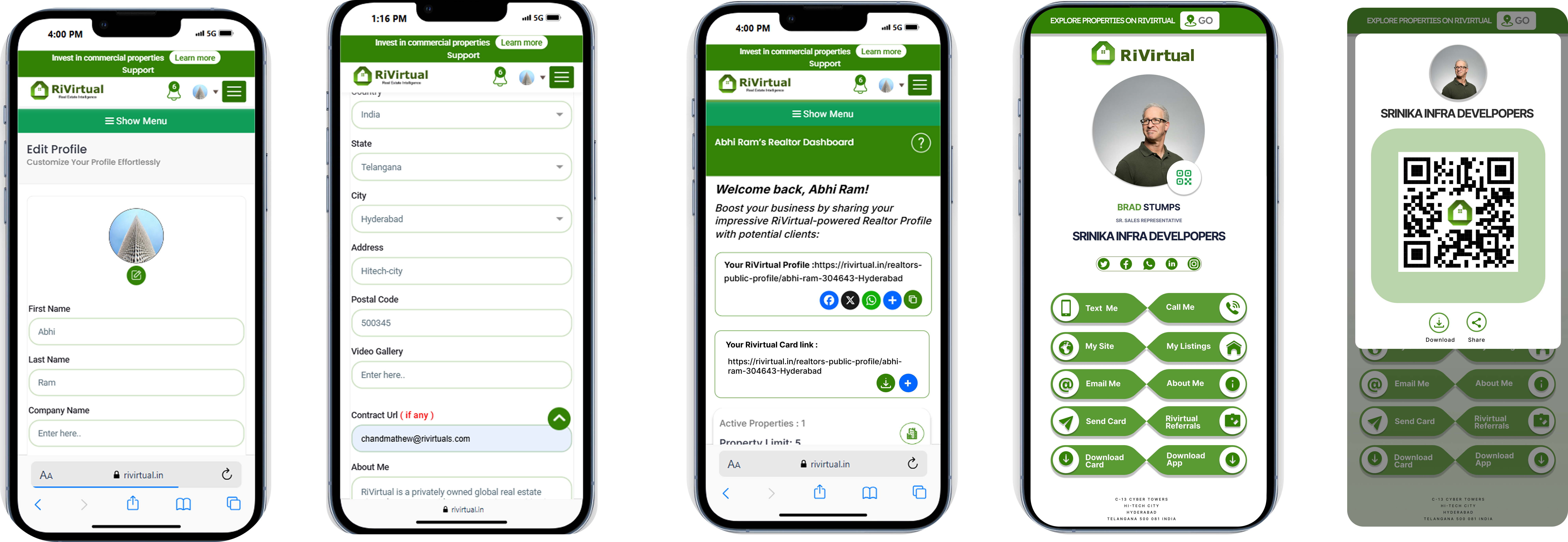
Edit Profile changes sync to your card automatically
Social links configured in Edit Profile appear on the card — no manual re-entry needed.
Key features
QR code sharingScan-to-connect link to the full card page
Clickable CTAsText Me, Call Me, My Site, My Listings actions
Social integrationFacebook, LinkedIn, Instagram & YouTube from profile
Download optionsExport card as PDF or QR code as JPEG
Responsive designOptimized templates for mobile and desktop
Brand consistencyRiVirtual-powered branding with custom details
Impact
Networking efficiencyInstant QR sharing replaces manual card exchange
Lead generationOne-tap access to listings and contact channels
Brand consistencyUnified RiVirtual branding across all touchpoints
Less paper dependencyReduced reliance on printed cards and reprints
Visual design
Card layouts, mobile experience, and branded templates across touchpoints.
From Version 0.1 to Version 10.0 — measurable outcomes across engagement, delivery scale, QA leadership, and platform expansion.
800%Increase in user engagement after major redesigns
80+Production screens designed and delivered
v0.1 → v10.0Led testing from Version 0.1 to Version 10.0 with a team of 10+ testers
AI + RolesSuccessfully launched role-based architecture and AI-assisted features
Multi-marketPlatform expanded to support multiple countries with localization
Full case study document
Download the complete RiVirtual case study deck — covering CRM revamp, property posting, digital business cards, awards platform, and multi-role sign-in flows.
 Add Lead
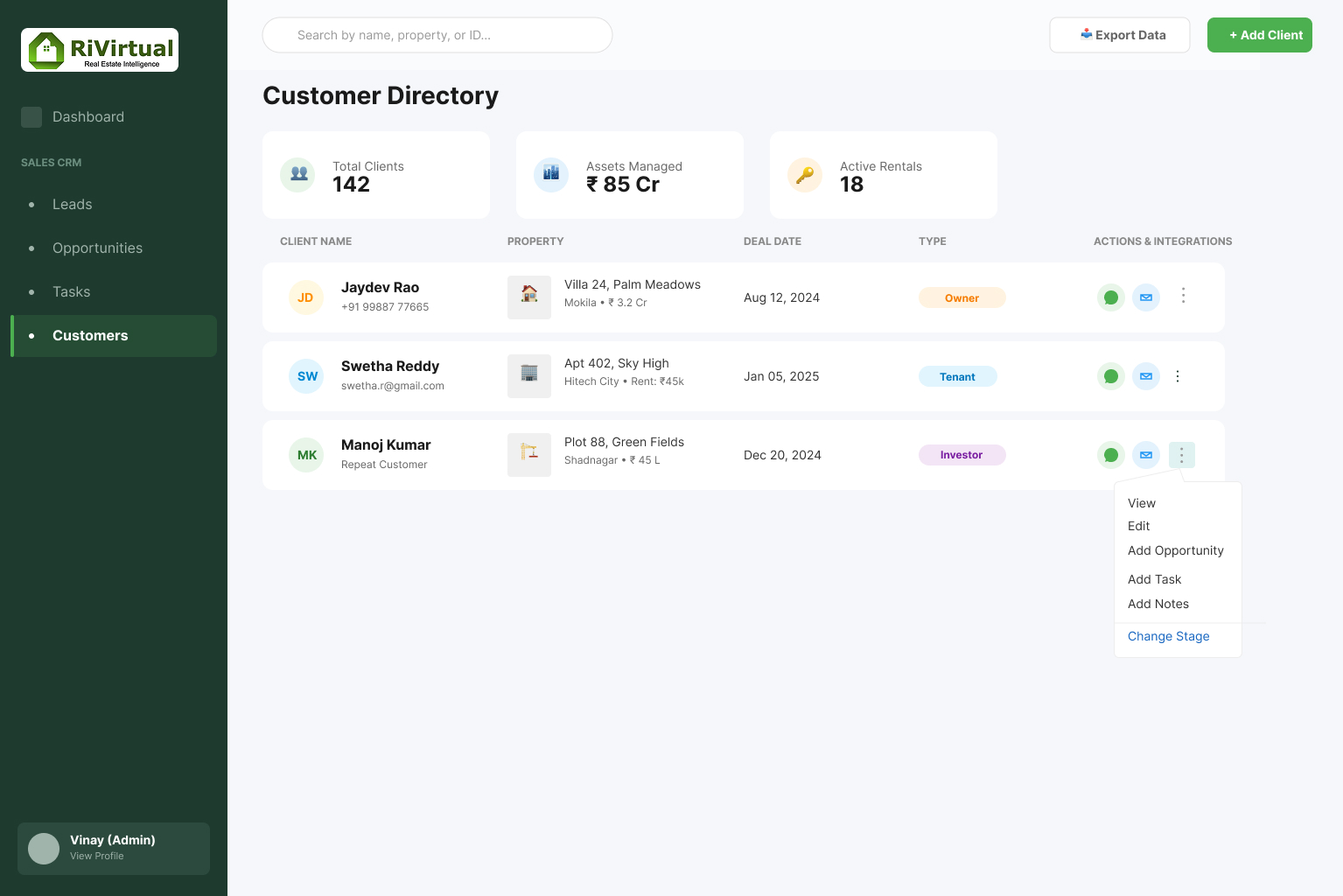 Customers
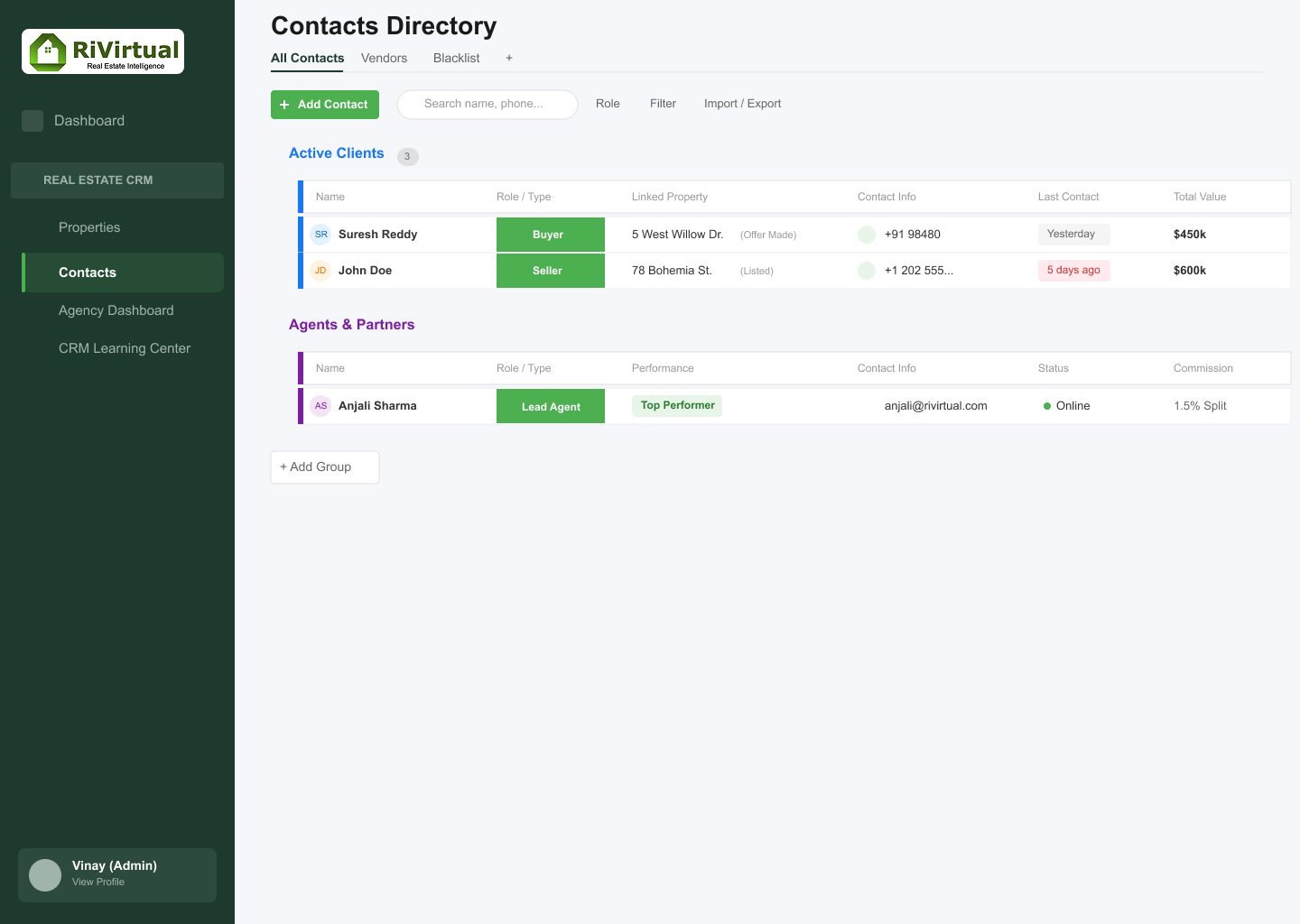 Contacts
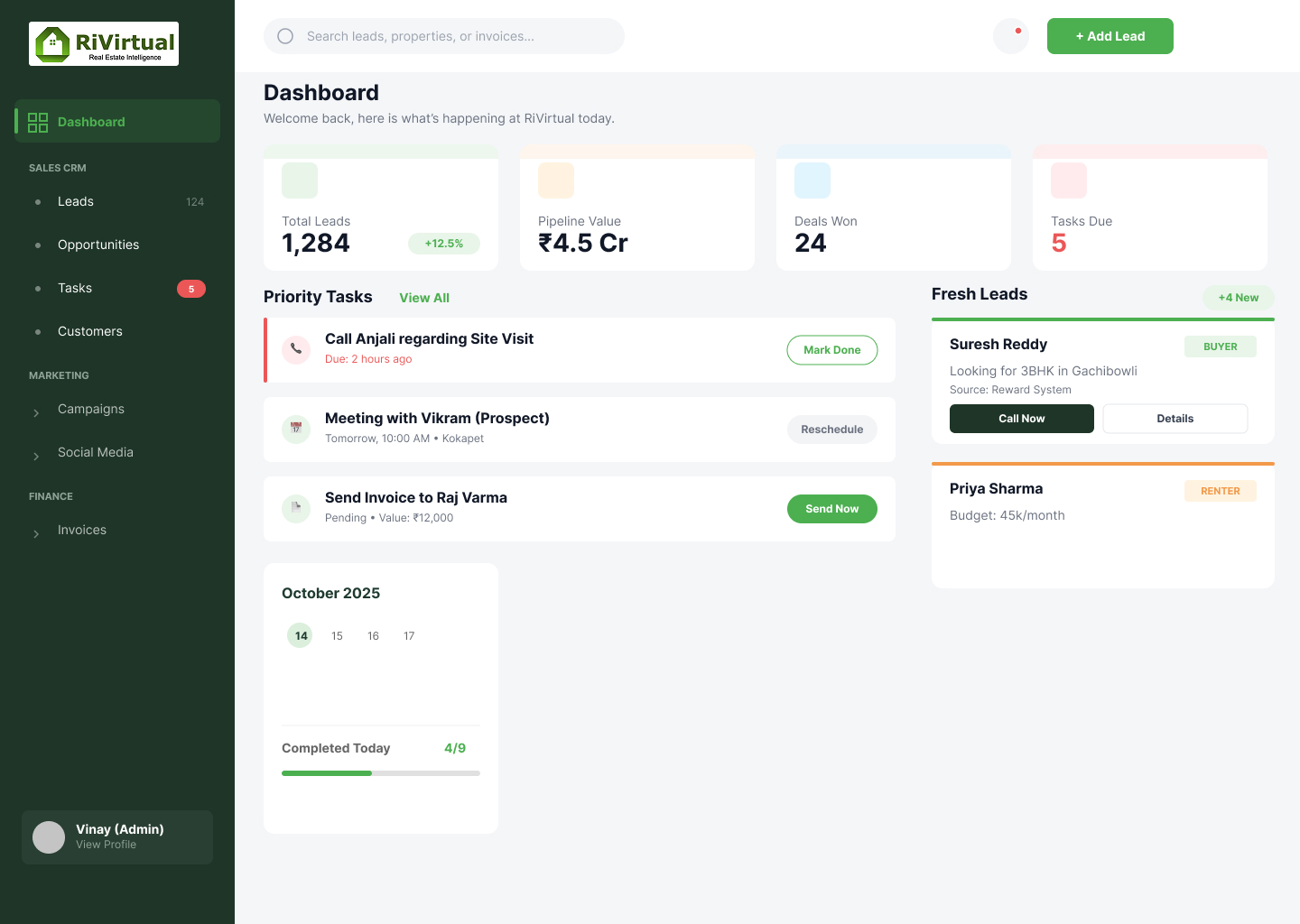 Sales Dashboard
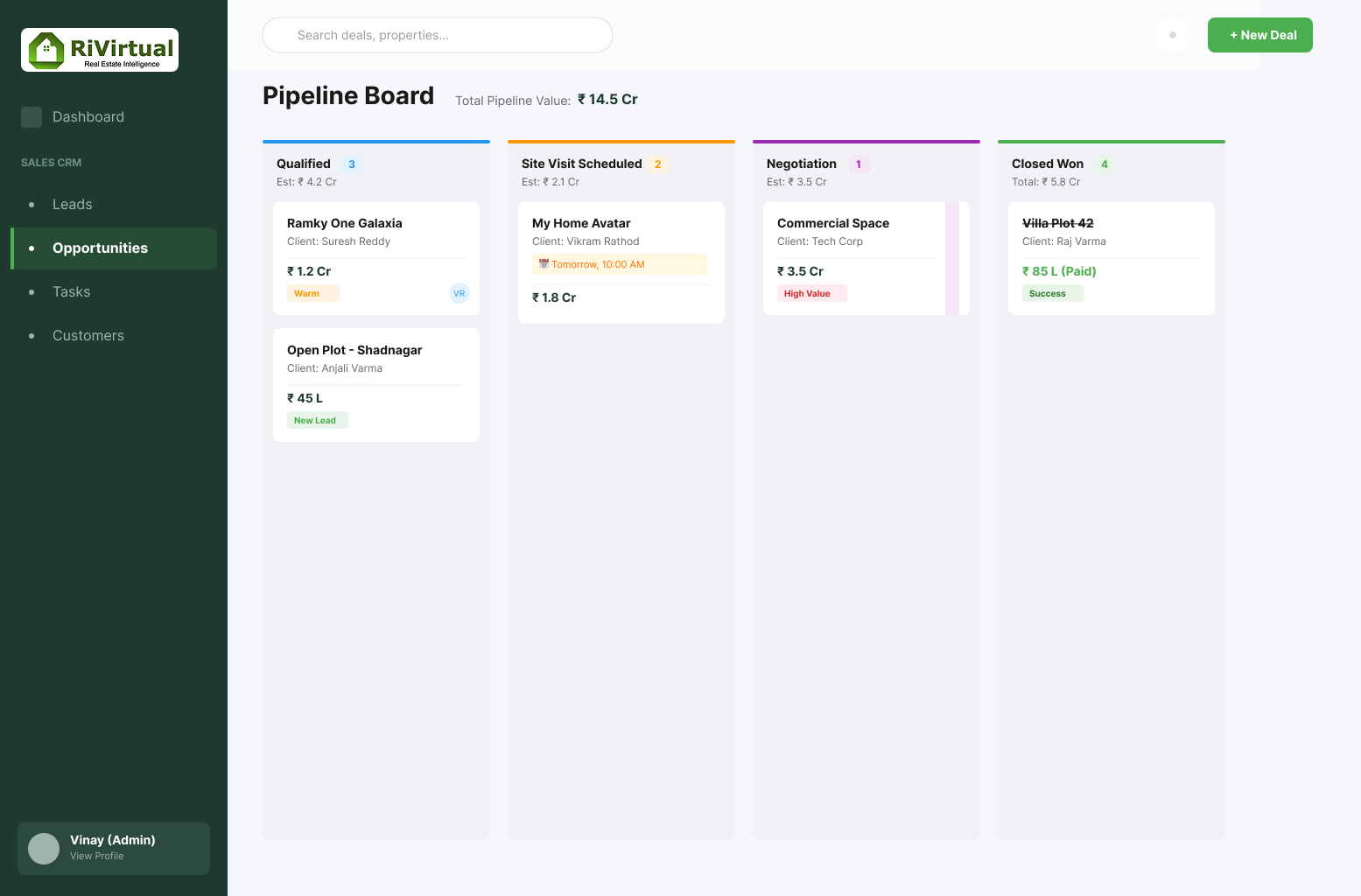 Opportunities
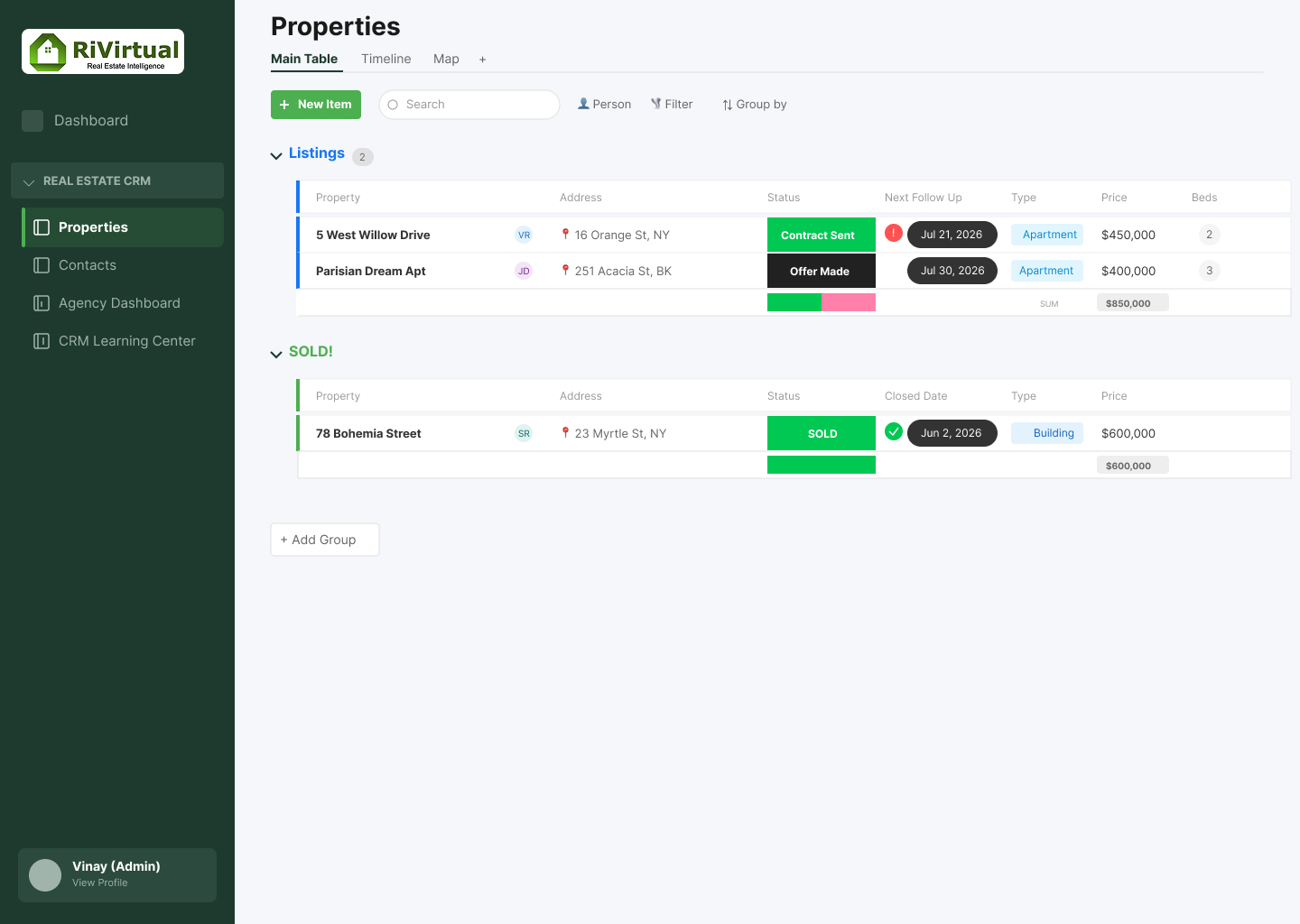 Properties
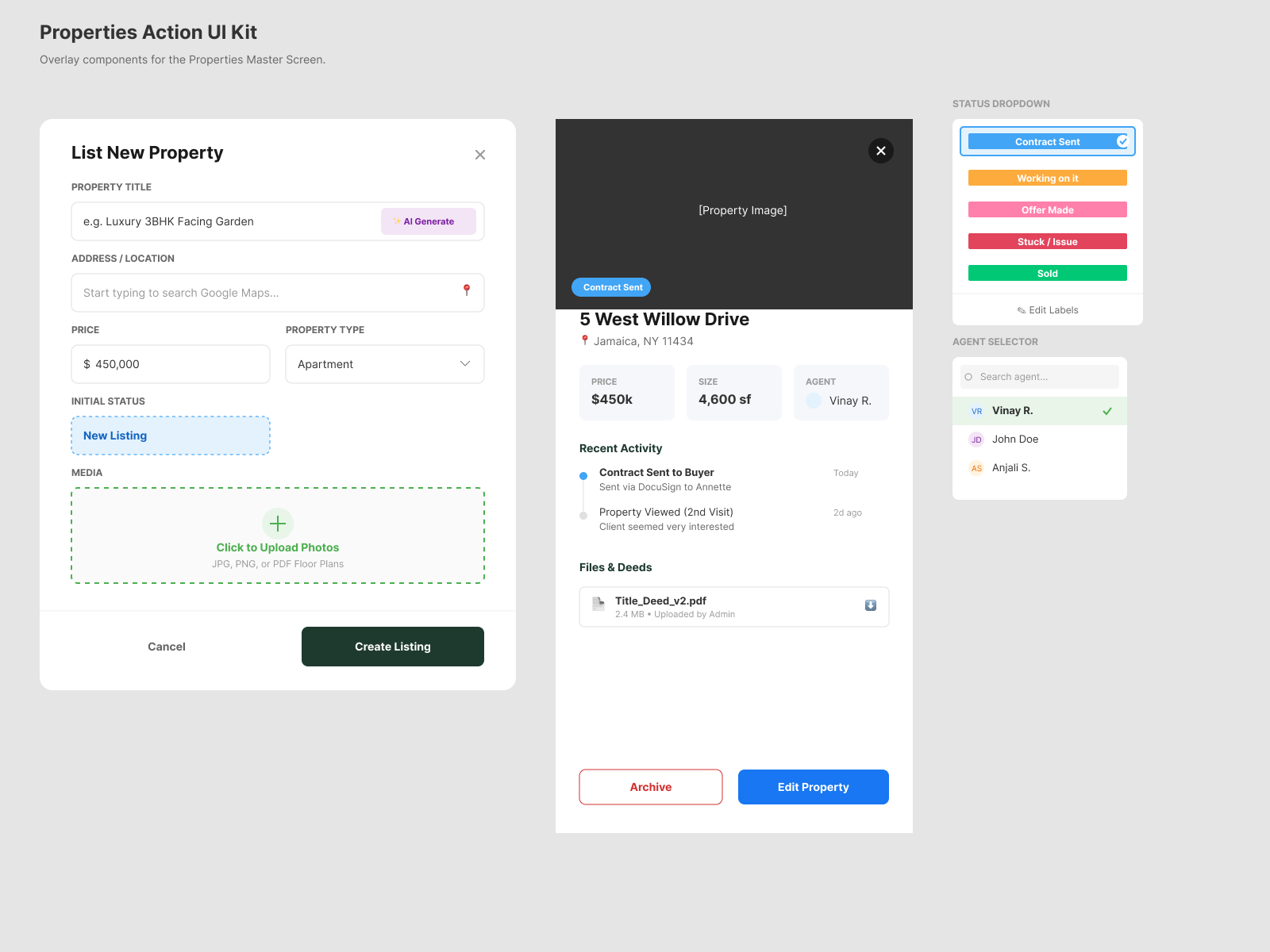 Property Actions
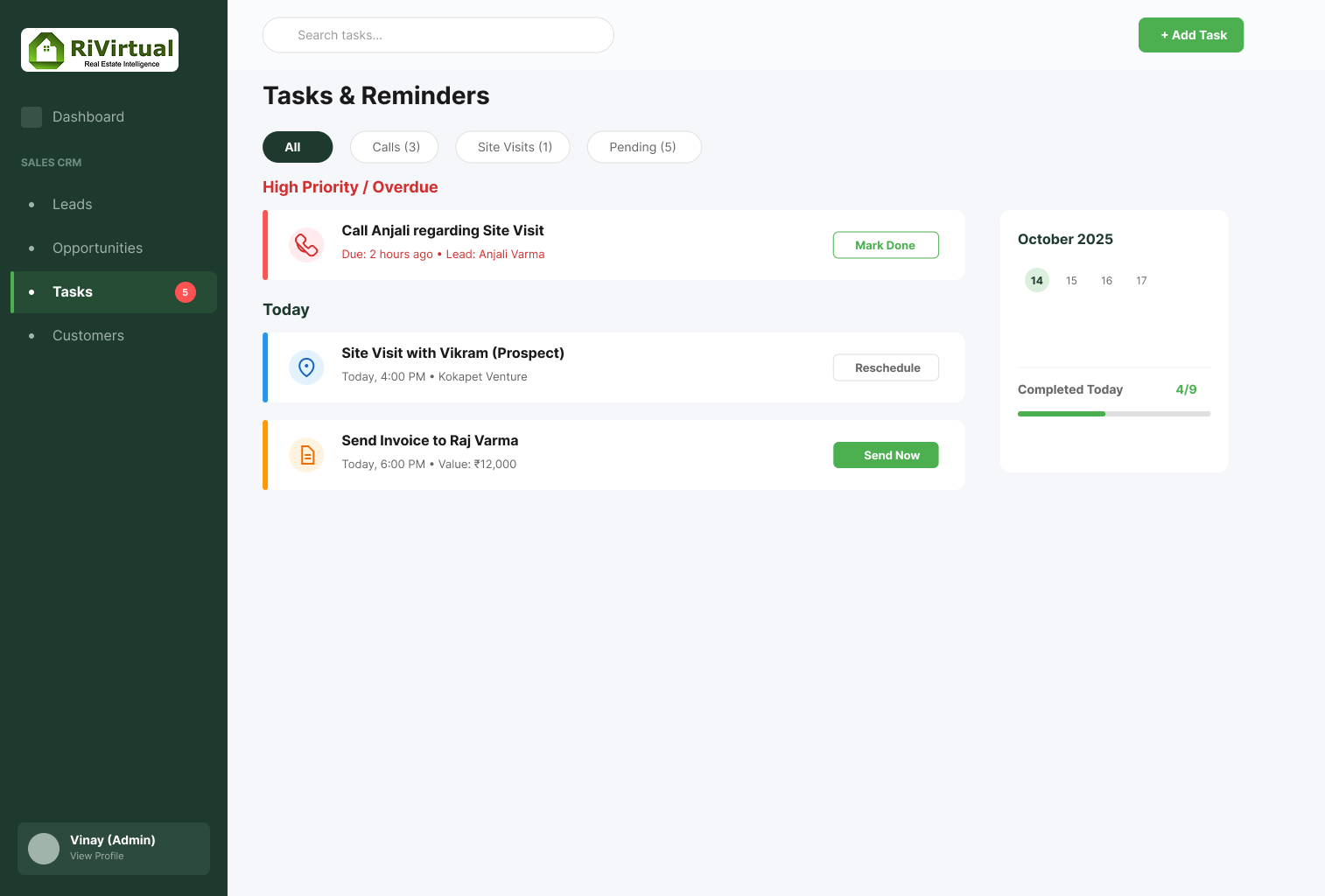 Tasks
Tasks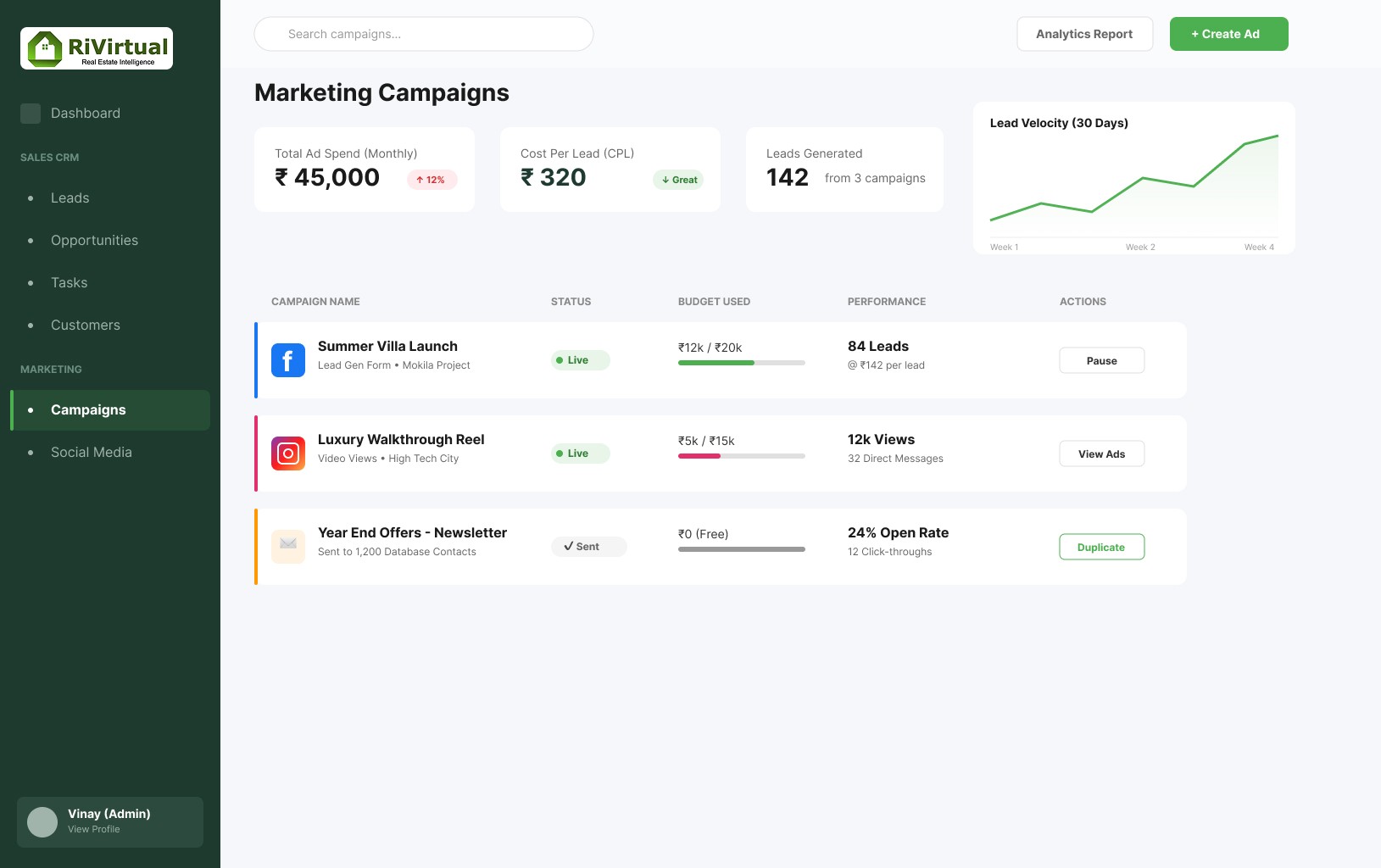 Marketing
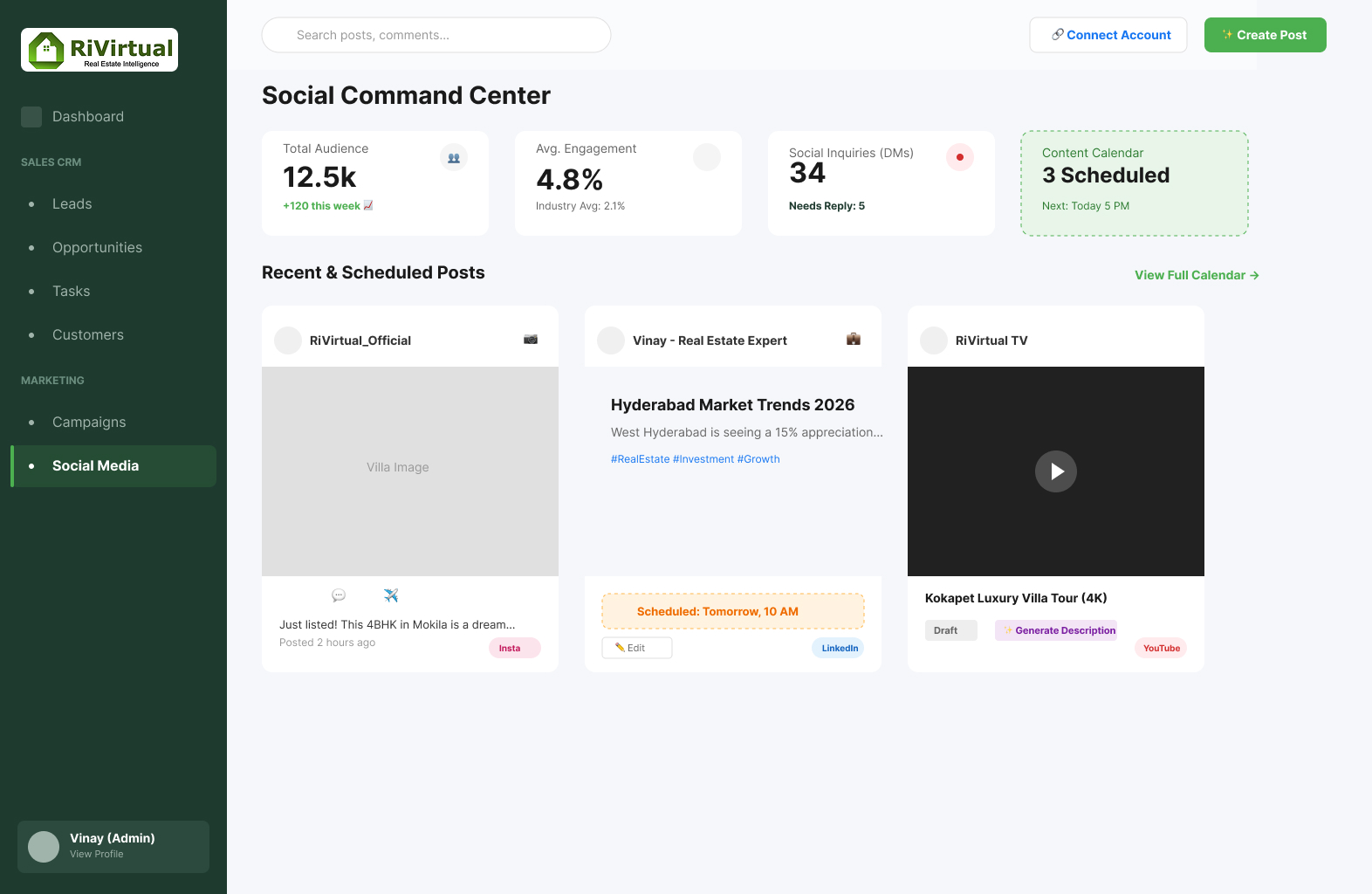 Social Media
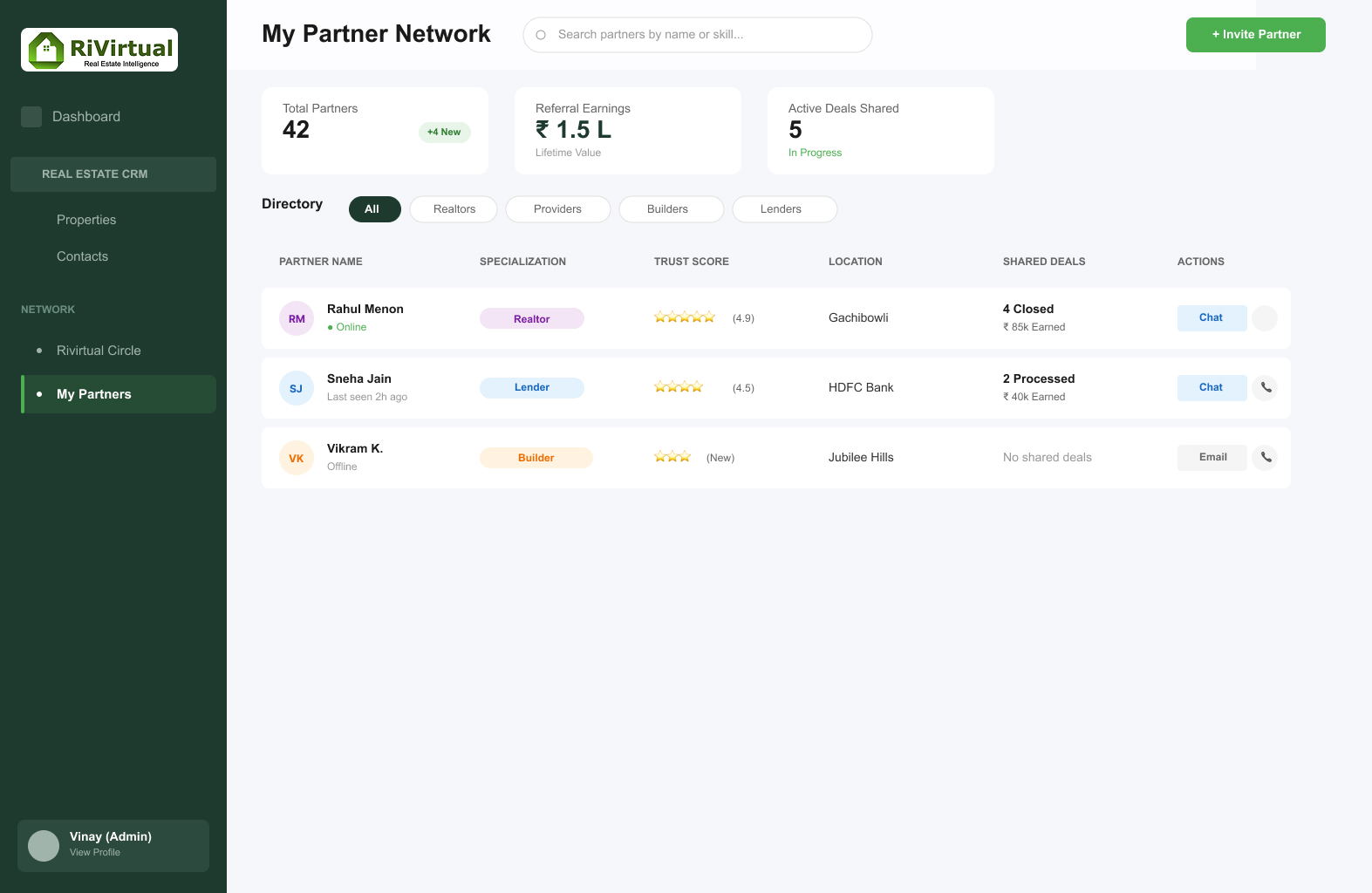 My Partners
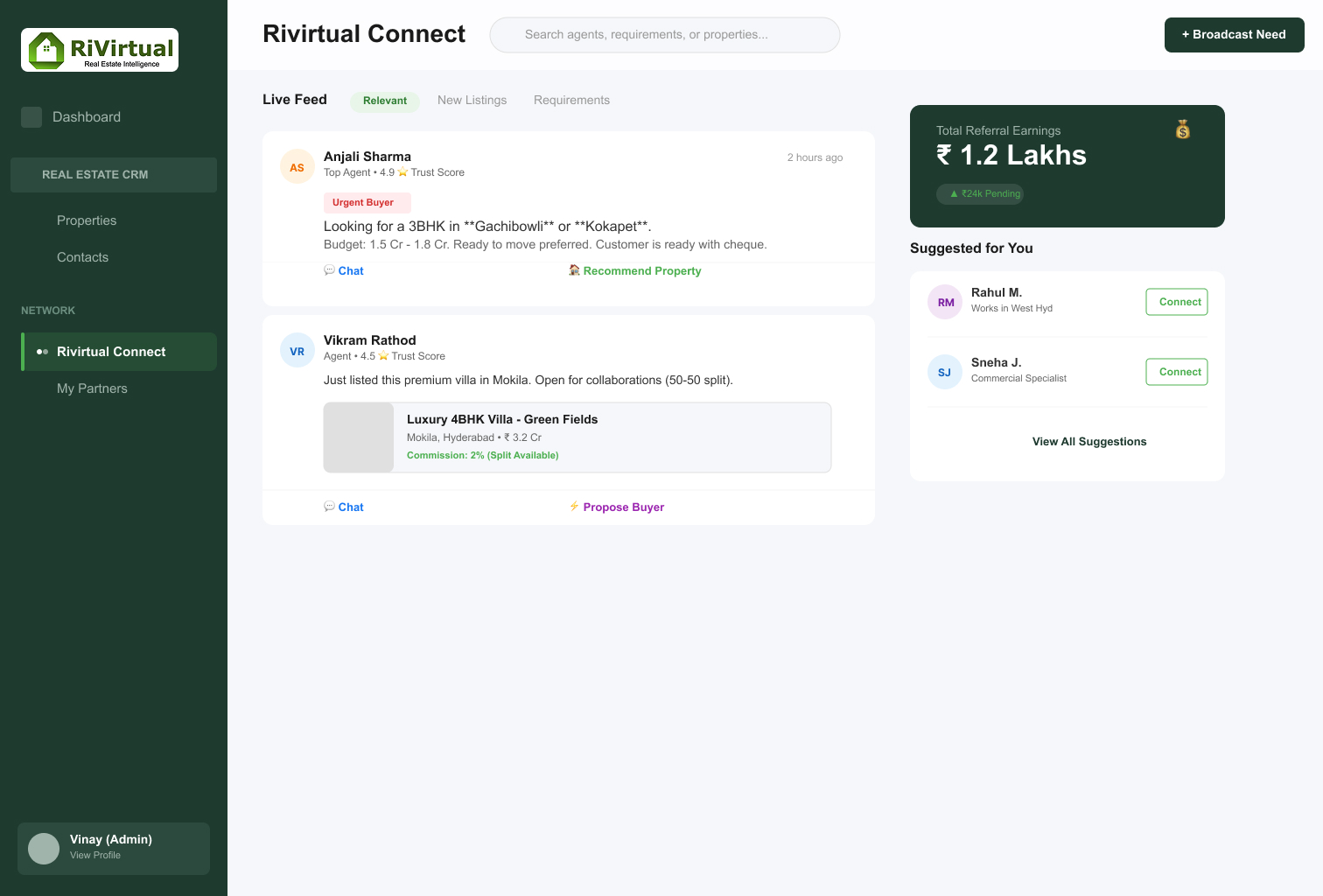 Circle